Investigating Windows SetupAPI Log
06/11/2026 Friday
Windows SetupAPI is the Windows component responsible for installing and
configuring device drivers. Each time a device is connected for the
first time, a driver is installed or updated through Windows Update, or
a software-based device such as a virtual network adapter is created or
removed, the operation is written to the SetupAPI device installation
log. Every operation is recorded as a section that begins with a header
describing the action and the device instance identifier, followed by a
start timestamp, detailed processing lines, and an end marker. As a
result, the log forms a chronological history of device and driver
activity on the system.
Digital Forensics Value of Windows SetupAPI Log
Windows SetupAPI Log artifacts are commonly used to establish when a
device was first introduced to a system. Section headers such as "Device
Install (Hardware initiated)" record the device instance identifier,
which for USB devices includes the vendor ID, product ID, and serial
number, and for USB storage devices may also include the vendor and
product names. When the header is paired with the section start time,
the first connection of a specific removable device can be dated and
then correlated with USBSTOR and MountedDevices registry entries,
Windows event logs, and file access artifacts such as Link Files and
Jump Lists.
Location of Windows SetupAPI Log
Windows SetupAPI log records can be found at the following location:
/Windows/INF/setupapi.dev.log
Analyzing Windows SetupAPI Log Artifacts with ArtiFast
This section will discuss how to use ArtiFast to extract Windows
SetupAPI Log artifacts from Windows device files and what kind of
digital forensics insights can be gained from the artifacts.
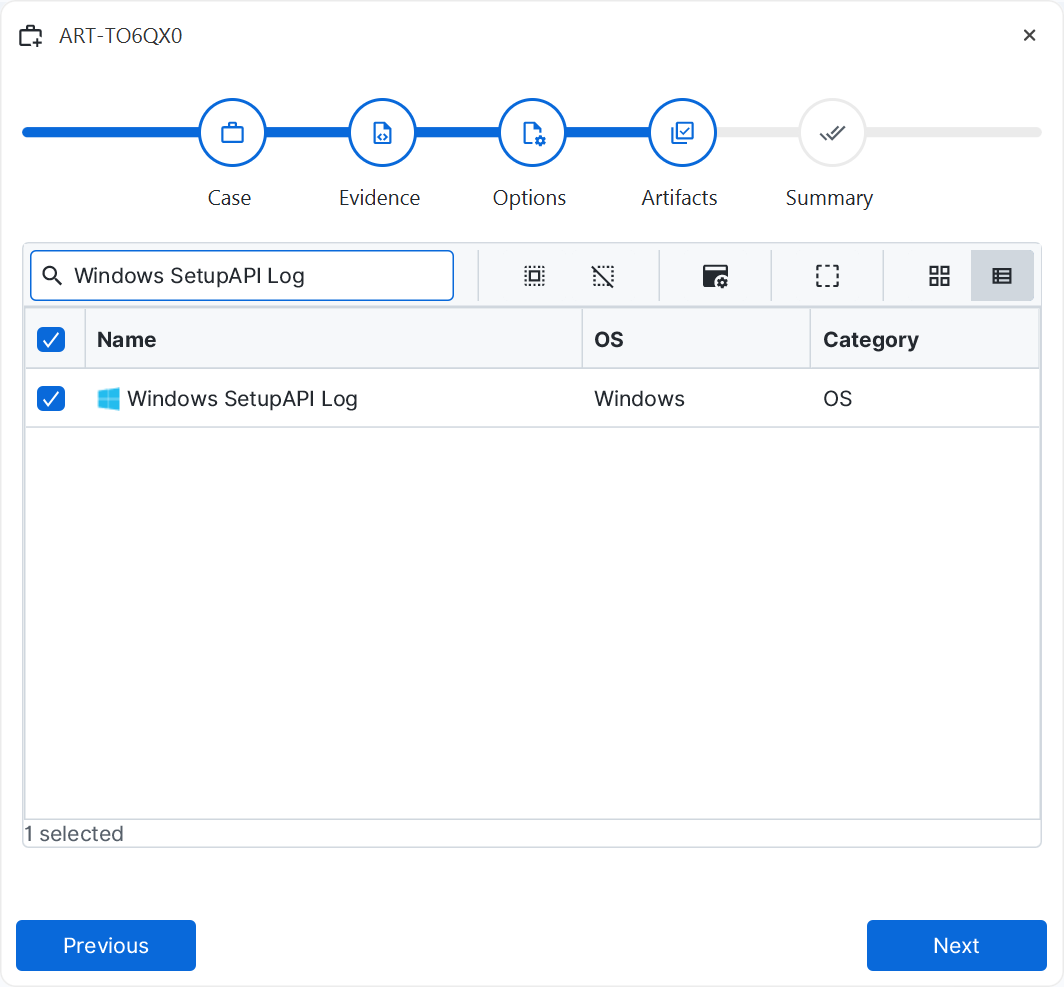
After a case has been created and evidence has been added for the
investigation, at the Artifact Selection phase, the Windows SetupAPI Log
artifact parser can be selected:
×
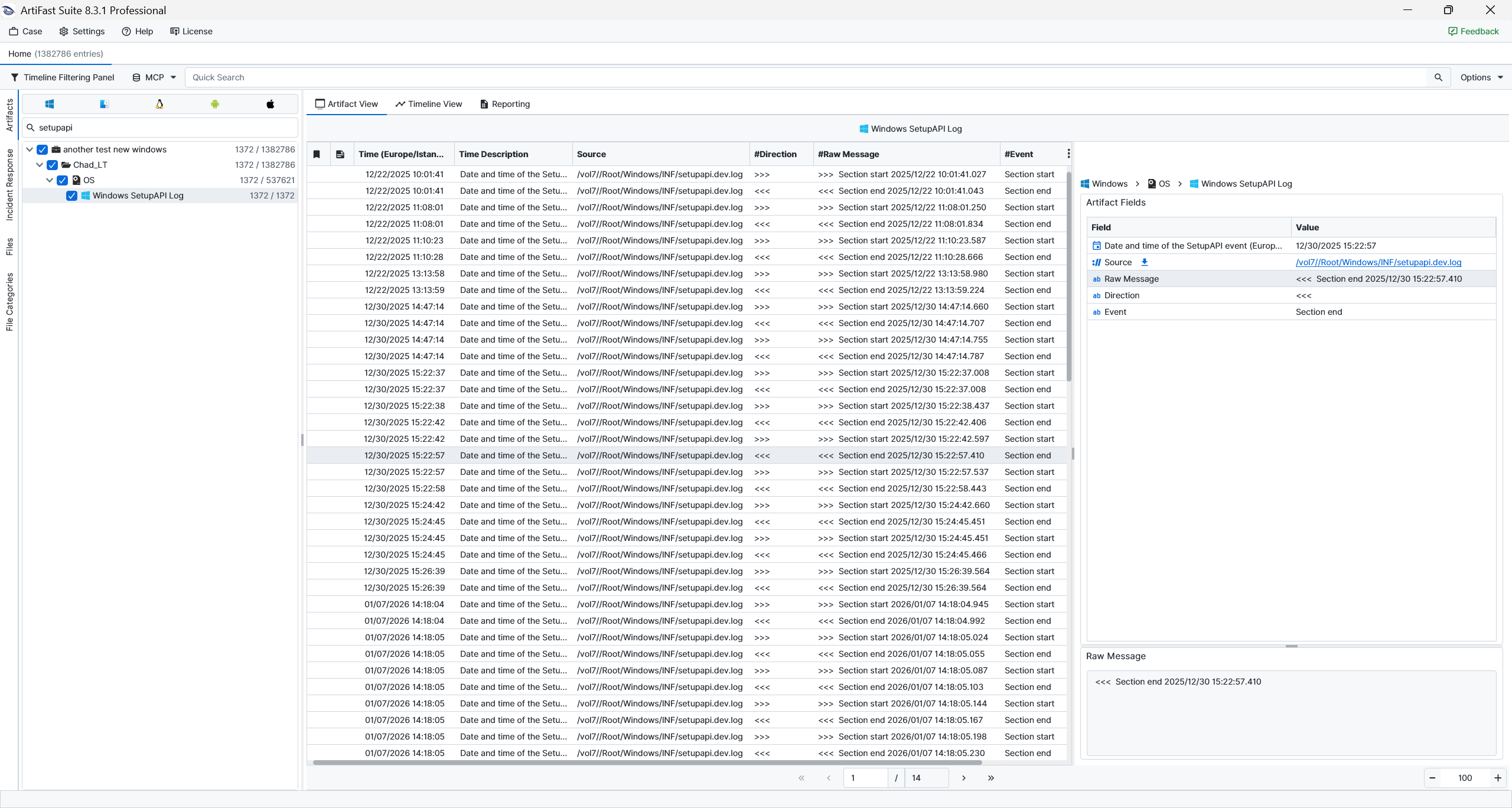
Once the ArtiFast parser plugins complete processing the artifact for analysis, it can be reviewed via Artifact View or Timeline View, with indexing, filtering, and searching capabilities. Below is a detailed description of Windows SetupAPI Log artifact in ArtiFast.
Windows SetupAPI Log
- Date and time of the SetupAPI event: The timestamp recorded for the section start or end entry.
- Direction: The line marker, where ">>>" indicates a section header or start, "<<<" indicates a section end, and "!!!" indicates an error.
- Event: The parsed event.
- Raw Message: The original log line as it appears in the SetupAPI log.
For more information or suggestions please contact: enes.turan@forensafe.com
