Investigating Windows Setup Installation Logs
21/08/2026 Friday
Windows Setup Installation Logs are log records created during Windows
installation, upgrade, configuration, and recovery-related setup
activity. These logs are commonly written to setupact.log and
setuperr.log files, where setup actions, component activity, paths,
command-line parameters, warnings, and errors are preserved.
Digital Forensics Value of Windows Setup Installation Logs
Windows Setup Installation Logs can provide useful context when
installation history, upgrade activity, system preparation, or failed
setup activity needs to be reviewed. The records may help show when
setup components were executed, which setup phase was active, which
installation media or working paths were referenced, and whether warning
or error messages were recorded. In upgrade or recovery scenarios, these
logs may also support reconstruction of failed installation attempts,
rollback activity, and environment changes that occurred before the
operating system became fully available. The parsed messages can be
correlated with Windows Event Logs, CBS logs, SetupAPI logs, registry
data, file system timestamps, and user activity artifacts to support a
clearer view of system state and installation timeline.
Location of Windows Setup Installation Logs
Windows Setup Installation Logs are commonly associated with the Windows
Panther directory. The parsed setup log records are associated with the
following paths:
C:\Windows\Panther\setupact.log
C:\Windows\Panther\setuperr.log
C:\Windows\Panther\UnattendGC\setupact.log
Analyzing Windows Setup Installation Logs Artifacts with ArtiFast
TThis section will discuss how to use ArtiFast to extract Windows Setup
Installation Logs artifacts from evidence files and what kind of digital
forensics insights can be gained from the artifacts
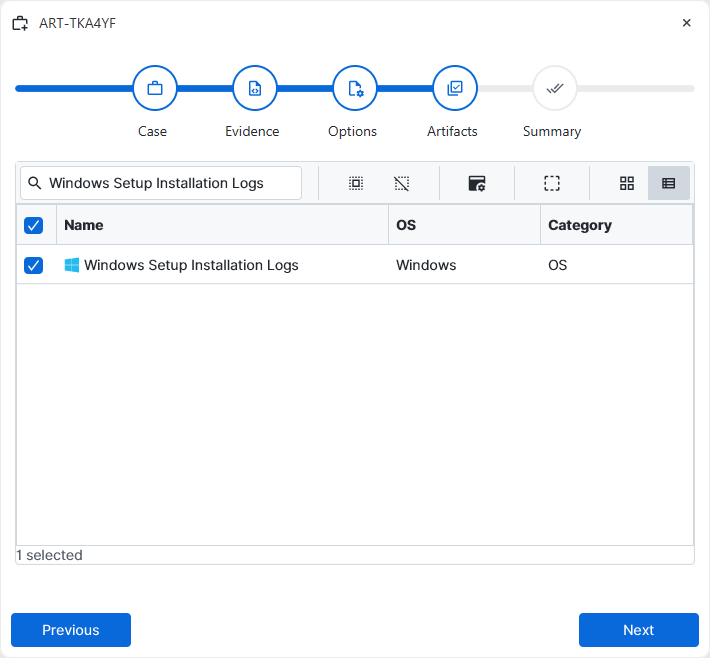
After a case has been created and evidence has been added for the
investigation, at the Artifact Selection phase, the Windows Setup
Installation Logs artifact parser can be selected:
×
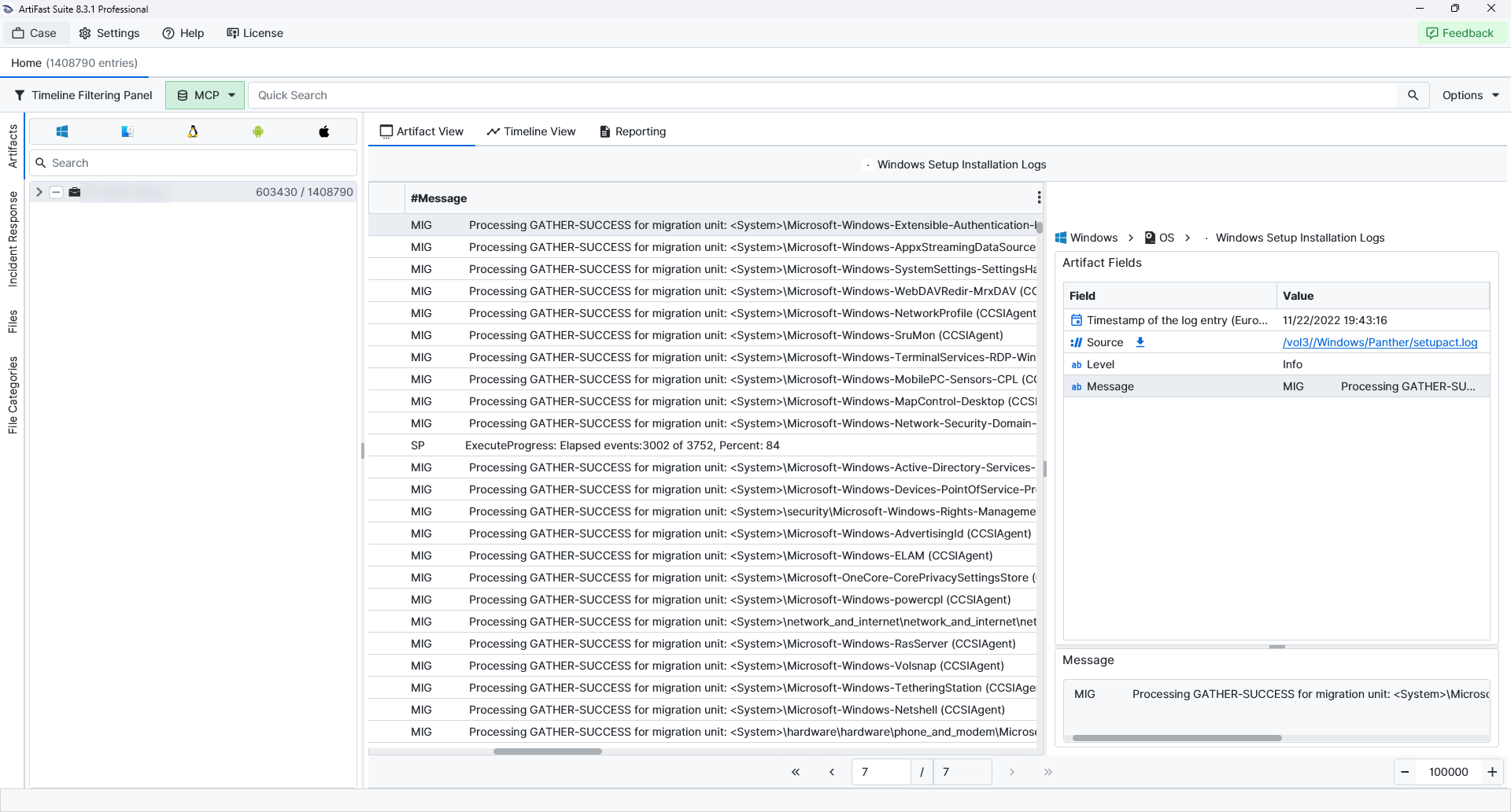
Once the ArtiFast parser plugins complete processing the artifact for analysis, it can be reviewed via Artifact View or Timeline View, with indexing, filtering, and searching capabilities. Below is a detailed description of Windows Setup Installation Logs artifact in ArtiFast.
Windows Setup Installation Logs
- Entry Date: Records the timestamp associated with the parsed setup log entry.
- Level: Identifies the severity or log type recorded for the line, such as Info, Warning, or Error.
- Message: Contains the parsed setup log text.
For more information or suggestions please contact: enes.cihan@forensafe.com
