Investigating Windows Registry Resource Access
25/09/2026 Friday
Windows records privacy permissions and recent access to protected
resources through the Capability Access Manager. Within each user's
registry hive, ConsentStore entries can associate resources such as
location, microphone, camera, and media libraries with packaged
applications or traditional desktop executables.
Digital Forensics Value of Windows Registry Resource Access
Registry Resource Access artifacts can help establish which applications
were associated with privacy-sensitive Windows capabilities.
Packaged-app records preserve the application identity and its stored
consent state, while non-packaged records may tie an executable path to
the beginning and end of its most recent resource-access interval. This
information can strengthen an application-activity timeline and help
assess whether an executable was configured or observed using a
sensitive capability. The records do not reveal the content accessed
and, by themselves, do not prove that the user initiated the activity.
Location of Windows Registry Resource Access
Registry Resource Access data is stored in the per-user registry hive:
C:\Users\<USERNAME>\NTUSER.DAT
Analyzing Windows Registry Resource Access Artifacts with ArtiFast
This section will discuss how to use ArtiFast to extract Windows
Registry Resource Access artifacts from Windows device files and what
kind of digital forensics insights can be gained from the artifacts.
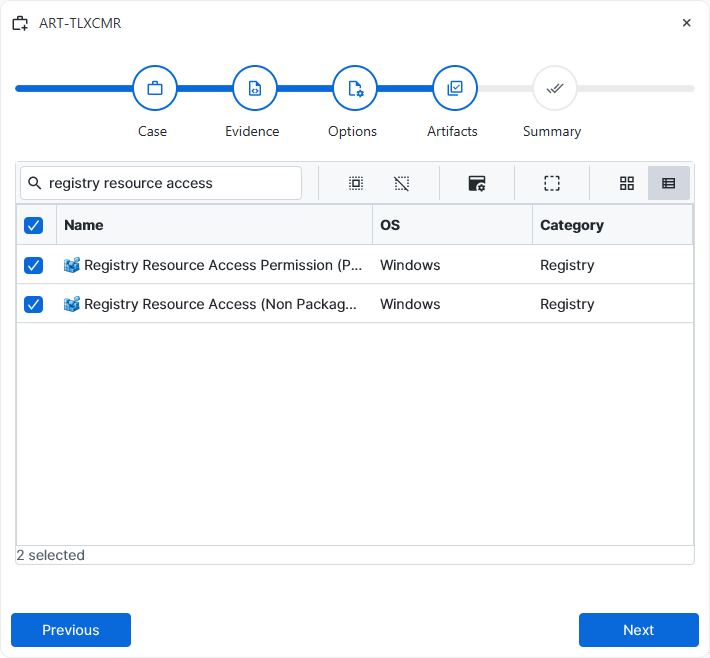
After a case has been created and evidence has been added for the
investigation, at the Artifact Selection phase, the Windows Registry
Resource Access artifact parsers can be selected:
×
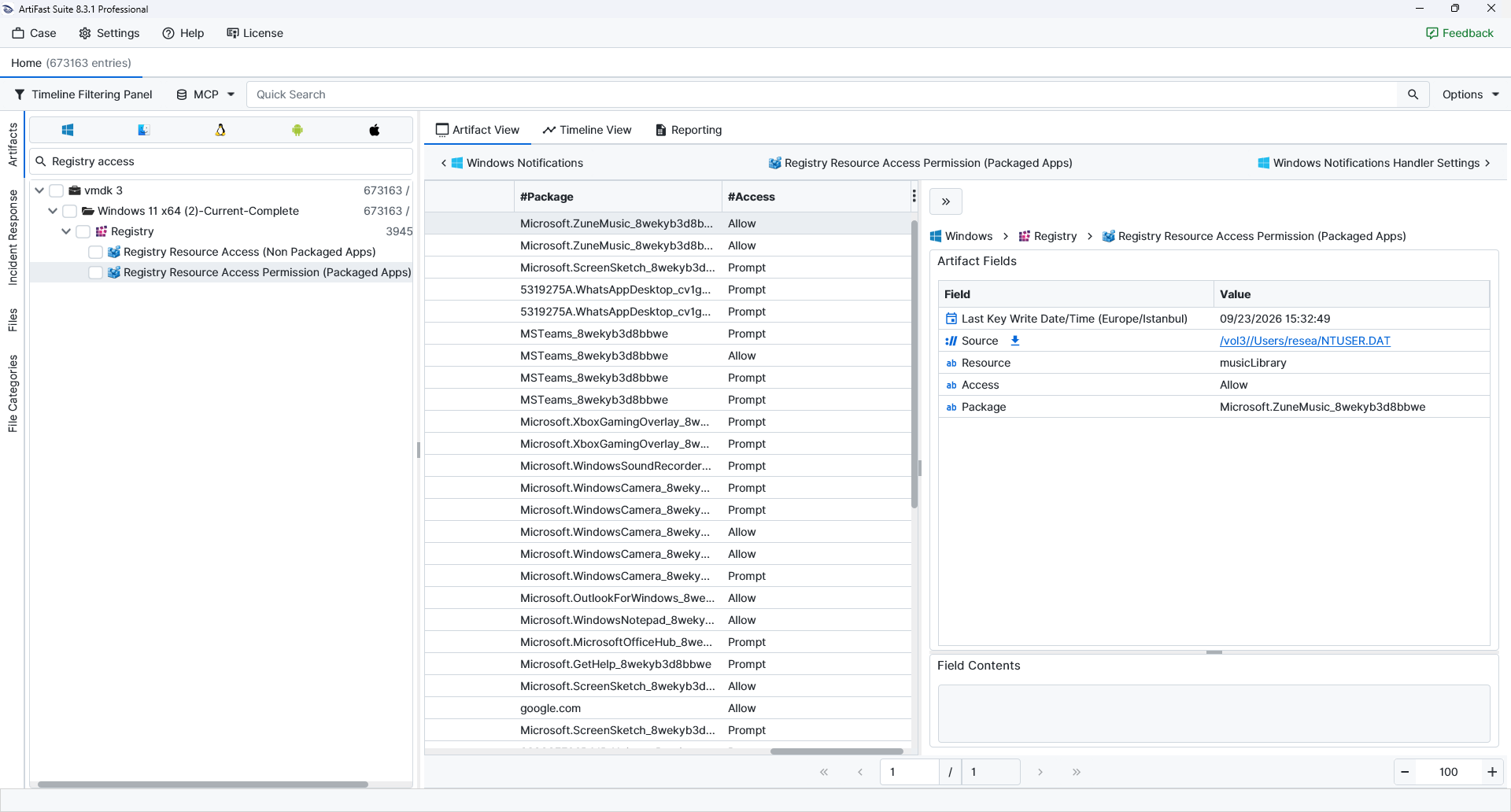
Once the ArtiFast parser plugins complete processing the artifacts for analysis, they can be reviewed via Artifact View or Timeline View, with indexing, filtering, and searching capabilities. Below is a detailed description of Windows Registry Resource Access artifacts in ArtiFast.
Registry Resource Access Permission (Packaged Apps)
- Last Key Write Date/Time: Records when the registry key backing the entry was last modified.
- Resource: Names the protected Windows capability associated with the entry, such as location, microphone, camera, or a media library.
- Access: Contains the stored consent state for the packaged application, such as Allow, Deny, or Prompt.
- Package: Identifies the packaged application through its recorded package family name.
Registry Resource Access (Non-Packaged Apps)
- Last Key Write Date/Time: Records when the registry key backing the entry was last modified.
- Resource: Names the protected Windows capability associated with the entry, such as location, microphone, camera, or a media library.
- Application: Preserves the executable path associated with the non-packaged application.
- Last Used Time Start: Marks when the application's most recent recorded use of the resource began.
- Last Used Time Stop: Marks when the most recent recorded resource-use interval ended; a missing or zero value may indicate that no completed stop was recorded.
For more information or suggestions please contact: asli.beyhan@forensafe.com
