Investigating Windows Program Compatibility Assistant Records
18/09/2026 Friday
Windows Program Compatibility Assistant records are produced when
application execution is evaluated by the Program Compatibility
Assistant. Executable paths, execution times, compatibility outcomes,
and available program metadata may be retained, allowing application
activity to be reviewed after the original executable has been moved or
removed.
Digital Forensics Value of Windows Program Compatibility Assistant Records
Program Compatibility Assistant records can support the reconstruction
of software activity on a Windows system. Recorded executable paths and
last execution times may indicate when an application, installer, or
utility was launched or evaluated, while file descriptions, vendors,
versions, run statuses, AmCache identifiers, and resolver or exit
details can provide additional context. These records can be correlated
with AmCache, Prefetch, UserAssist, event logs, and file-system
artifacts to strengthen an execution timeline, although a PCA entry
alone should not be treated as proof of user intent.
Location of Windows Program Compatibility Assistant Records
Program Compatibility Assistant records can be recovered from the
following Windows locations:
%SystemRoot%\appcompat\pca\PcaAppLaunchDic.txt
%SystemRoot%\appcompat\pca\PcaGeneralDb0.txt
The files and the fields populated within their records may vary
according to the Windows version and the type of compatibility event
that was recorded.
Analyzing Windows Program Compatibility Assistant Records Artifacts with ArtiFast
This section will discuss how to use ArtiFast to extract Windows Program
Compatibility Assistant Records artifacts from Windows device files and
what kind of digital forensics insights can be gained from the
artifacts.
After a case has been created and evidence has been added for the
investigation, at the Artifact Selection phase, the Windows Program
Compatibility Assistant Records artifact parser can be selected:
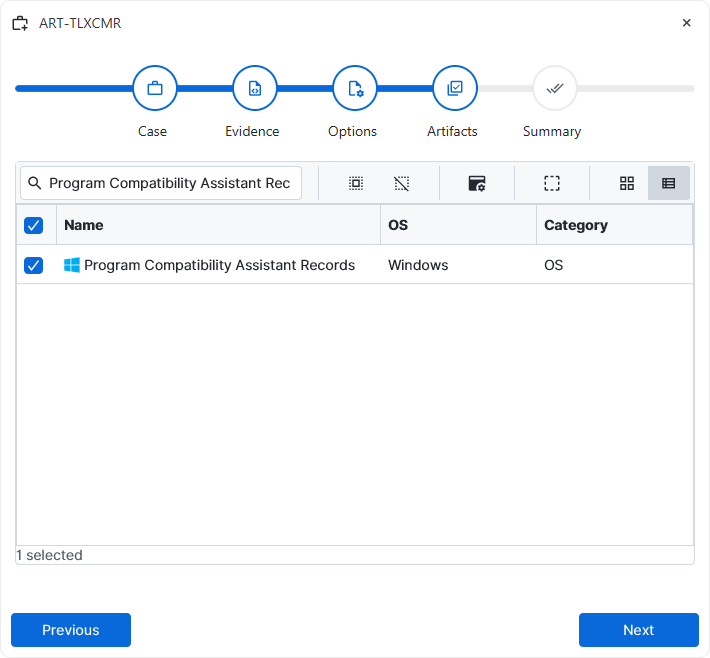
×
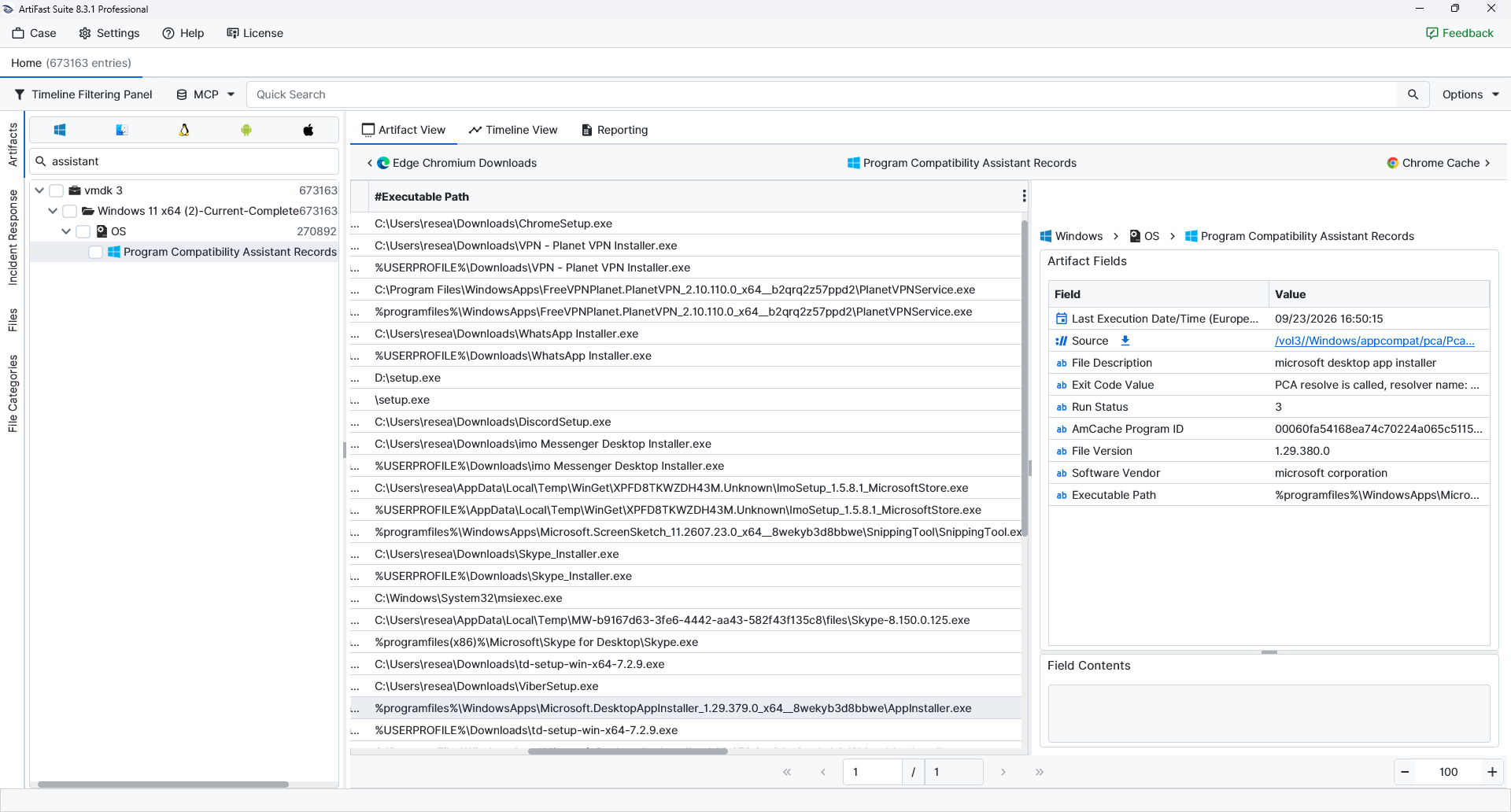
Once the ArtiFast parser plugins complete processing the artifact for analysis, it can be reviewed via Artifact View or Timeline View, with indexing, filtering, and searching capabilities. Below is a detailed description of Windows Program Compatibility Assistant Records artifact in ArtiFast.
Program Compatibility Assistant Records
- Executable Path: Preserves the recorded path of the executable associated with the PCA entry.
- Run Status: Stores the status value associated with the recorded compatibility event.
- File Description: Contains the available description embedded in or associated with the executable.
- Software Vendor: Identifies the software publisher or vendor recorded for the executable.
- File Version: Records the available version information for the executable.
- AmCache Program ID: References the AmCache program identifier associated with the executable.
- Exit Code Value: Contains the compatibility resolver or exit information retained for the program event.
For more information or suggestions please contact: enes.turan@forensafe.com
