Investigating Windows CBS Log
23/10/2026 Friday
Windows Component-Based Servicing (CBS) forms part of the Windows
servicing stack and supports operations performed by Windows Update,
Deployment Image Servicing and Management (DISM), System File Checker
(SFC), Windows features and roles, and component repair. As servicing
actions are evaluated and applied, detailed entries can be written to
CBS log files, preserving the time, originating component, severity
level, and original message associated with each operation.
Digital Forensics Value of Windows CBS Log
Windows CBS Log artifacts can help reconstruct operating-system
maintenance and change activity. Timestamped records may show when an
update, repair, feature change, or DISM operation was initiated and how
it progressed, while the component and level fields help separate
routine information from warnings or errors. Raw messages may retain
process and thread identifiers, package or file paths, operation names,
status text, and error details that can be correlated with Windows
Update, DISM, setup, and event-log evidence.
Location of Windows CBS Log
Windows CBS log records can be found at the following locations:
/Windows/Logs/CBS/CBS.log
/Windows/Panther/cbs.log
Analyzing Windows CBS Log Artifacts with ArtiFast
This section will discuss how to use ArtiFast to extract Windows CBS Log
artifacts from Windows device files and what kind of digital forensics
insights can be gained from the artifacts.
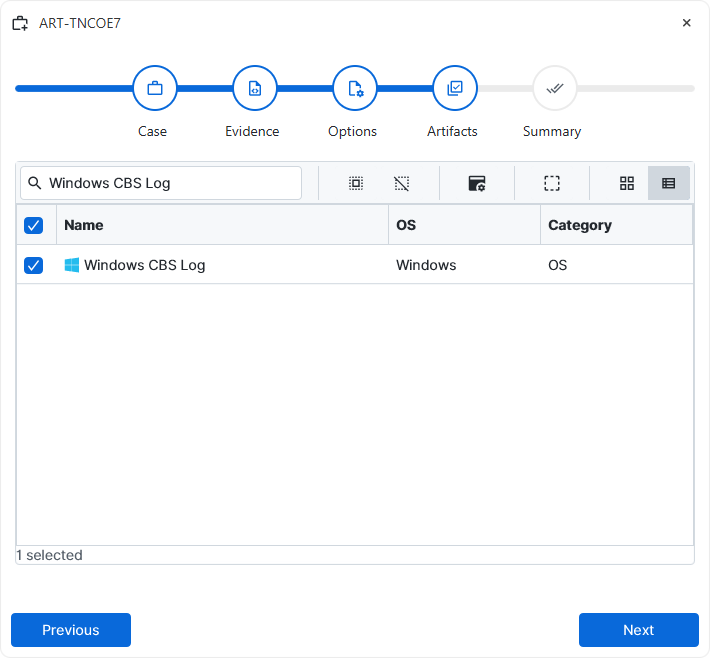
After a case has been created and evidence has been added for the
investigation, at the Artifact Selection phase, the Windows CBS Log
artifact parser can be selected:
×
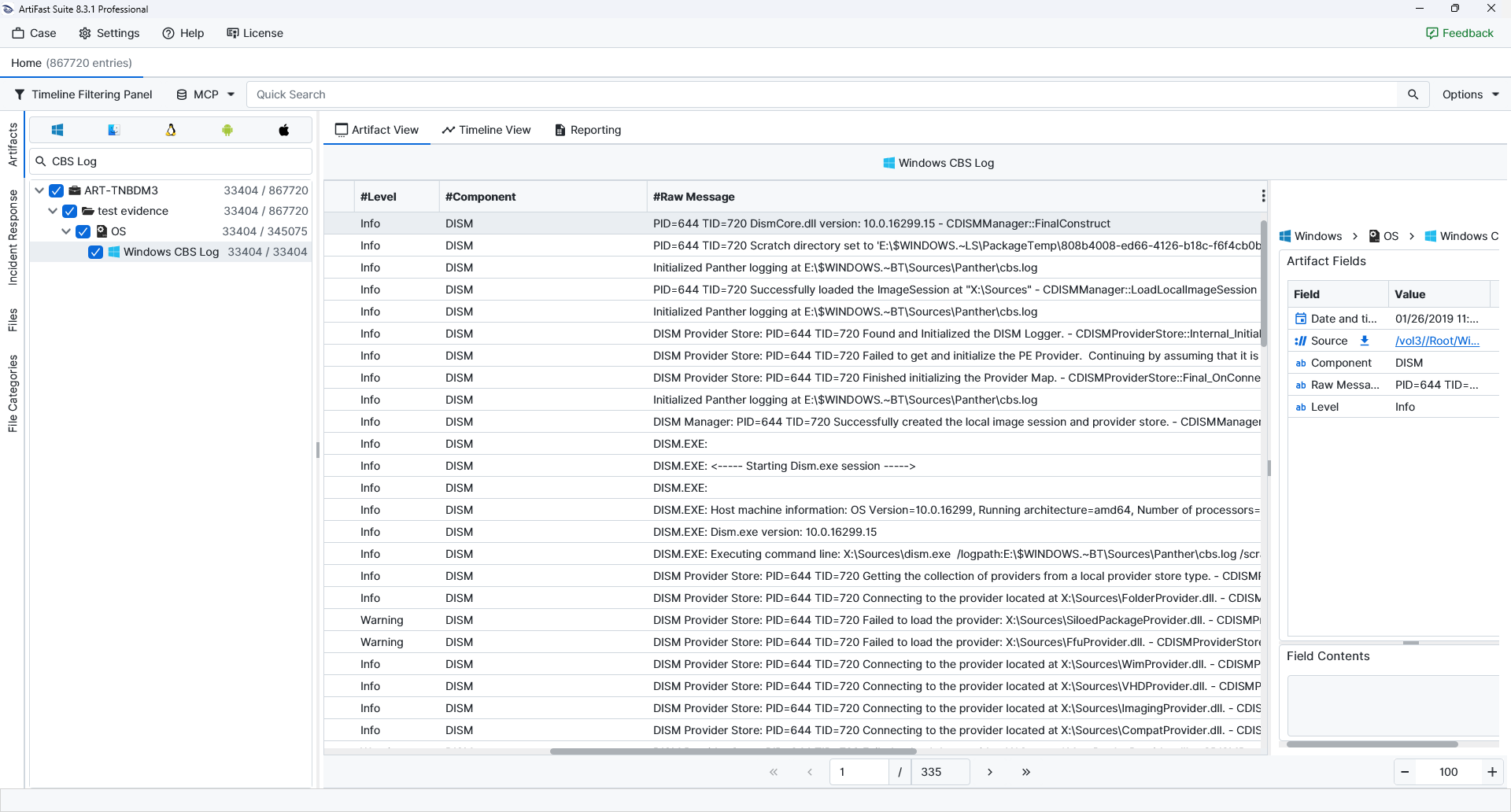
Once the ArtiFast parser plugins complete processing the artifact for analysis, it can be reviewed via Artifact View or Timeline View, with indexing, filtering, and searching capabilities. Below is a detailed description of Windows CBS Log artifact in ArtiFast.
Windows CBS Log
- Date and time of log entry: The timestamp recorded for the CBS log entry.
- Component: The Windows servicing component associated with the entry.
- Raw Message: The original log message.
- Level: The severity level assigned to the entry.
For more information or suggestions please contact: enes.cihan@forensafe.com
