Investigating Windows AutoRun Items
26/06/2026 Friday
Windows AutoRun Items are registry-based entries and related startup
mechanisms used by Windows and installed applications to load components
automatically. These entries may reference executable files, DLLs, shell
extensions, credential providers, handlers, and other components that
are started or made available when specific system or user activity
occurs.
Digital Forensics Value of Windows AutoRun Items
Windows AutoRun Items can be a valuable source of persistence and
execution evidence during Windows investigations. The artifacts left by
AutoRun entries may contain file names, file paths, registry key
timestamps, command values, startup trigger conditions, item types, and
related metadata. These elements can be used to identify programs or
components configured to run automatically, review possible persistence
mechanisms, correlate registry activity with file-system evidence, and
highlight suspicious entries that may require further malware or
incident response analysis.
Location of Windows AutoRun Items
Windows AutoRun Items artifacts can be found at the following
location:
/Windows/System32/config/SOFTWARE
The SOFTWARE registry hive is used by Windows to store system-wide
configuration data, including registry keys that may reference AutoRun
items and related startup components.
Analyzing Windows AutoRun Items Artifacts with ArtiFast
This section will discuss how to use ArtiFast to extract Windows AutoRun
Items artifacts from Windows machines' files and what kind of digital
forensics insights can be gained from the artifacts
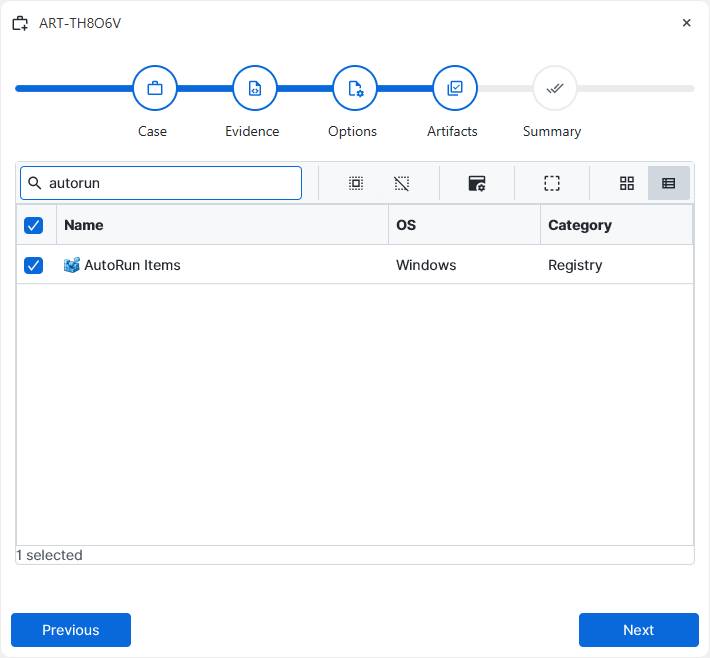
After a case has been created and evidence has been added for the
investigation, at the Artifact Selection phase, the Windows AutoRun
Items artifact parser can be selected:
×
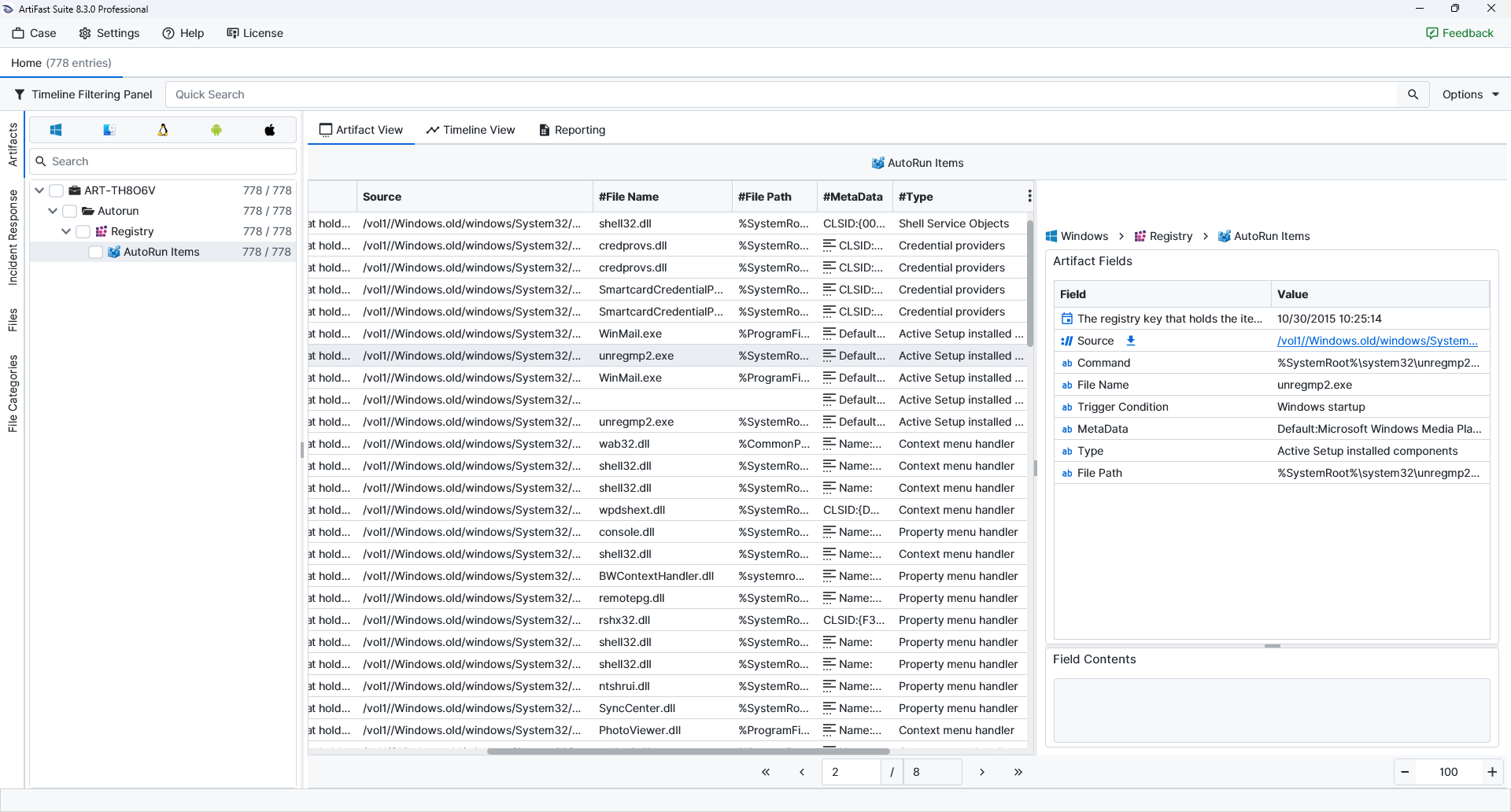
Once ArtiFast parsers plugins complete processing the artifact for analysis, it can be reviewed via Artifact View or Timeline View, with indexing, filtering, and searching capabilities. Below is a detailed description of Windows AutoRun Items artifact in ArtiFast.
AutoRun Items
- File Name: The name of the executable, DLL, or file associated with the AutoRun entry is shown.
- Registry Key Last Modified Date/Time: The last modified date and time of the registry key holding the AutoRun item is shown.
- Type: The AutoRun entry type or startup mechanism is shown.
- File Path: The file-system path associated with the AutoRun item is shown.
- Trigger Condition: The event or condition that causes the command to run is shown.
- Command: The command executed when the trigger condition is met is shown.
- MetaData: Additional registry or item metadata related to the AutoRun entry is shown.
For more information or suggestions please contact: asli.beyhan@forensafe.com
