Memory Services
22/05/2026 Friday
Windows Services are background components that are used by the operating system and installed applications to perform specific tasks without direct user interaction. These services may be responsible for networking, security, updates, drivers, remote access, logging, and many other system-level operations.
Digital Forensics Value of Memory Services
The Memory Services artifact provides important forensic value because
it allows service-related activity to be reviewed from memory rather
than only from the file system or registry. This can be especially
useful when a system was captured while suspicious activity was still
active or recently loaded. Windows services are commonly reviewed during
investigations because they can be used for legitimate system
operations, but they may also be abused for persistence, privilege
execution, driver loading, or background malware activity. By analyzing
services recovered from memory, an examiner may identify entries that
were running during acquisition, even if related files were deleted,
hidden, or no longer easily visible on disk.
Location of Memory Services
The Memory Services artifact is not recovered from a fixed Windows system folder in the same way as registry hives, event logs, or application databases. These records are produced during memory forensic processing and are commonly found in the forensic output generated from the acquired memory image.
Analyzing Memory Services Artifact with ArtiFast
This section will discuss how to use ArtiFast to extract Memory Services
artifact from Windows devices’ volatile data and what kind of digital
forensics insights we can gain from the artifact.
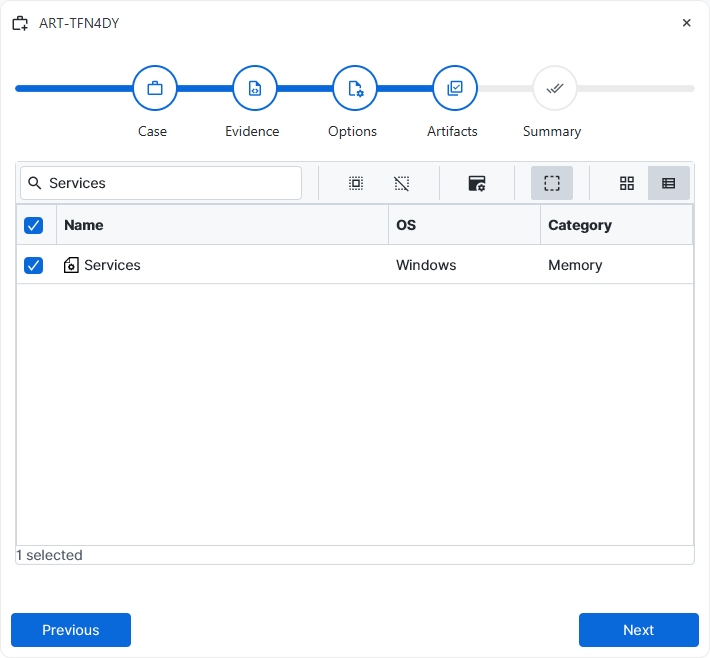
After you have created your case and added evidence for the
investigation, at the Artifact Selection phase, you can select the
Memory Services artifact parser:
×
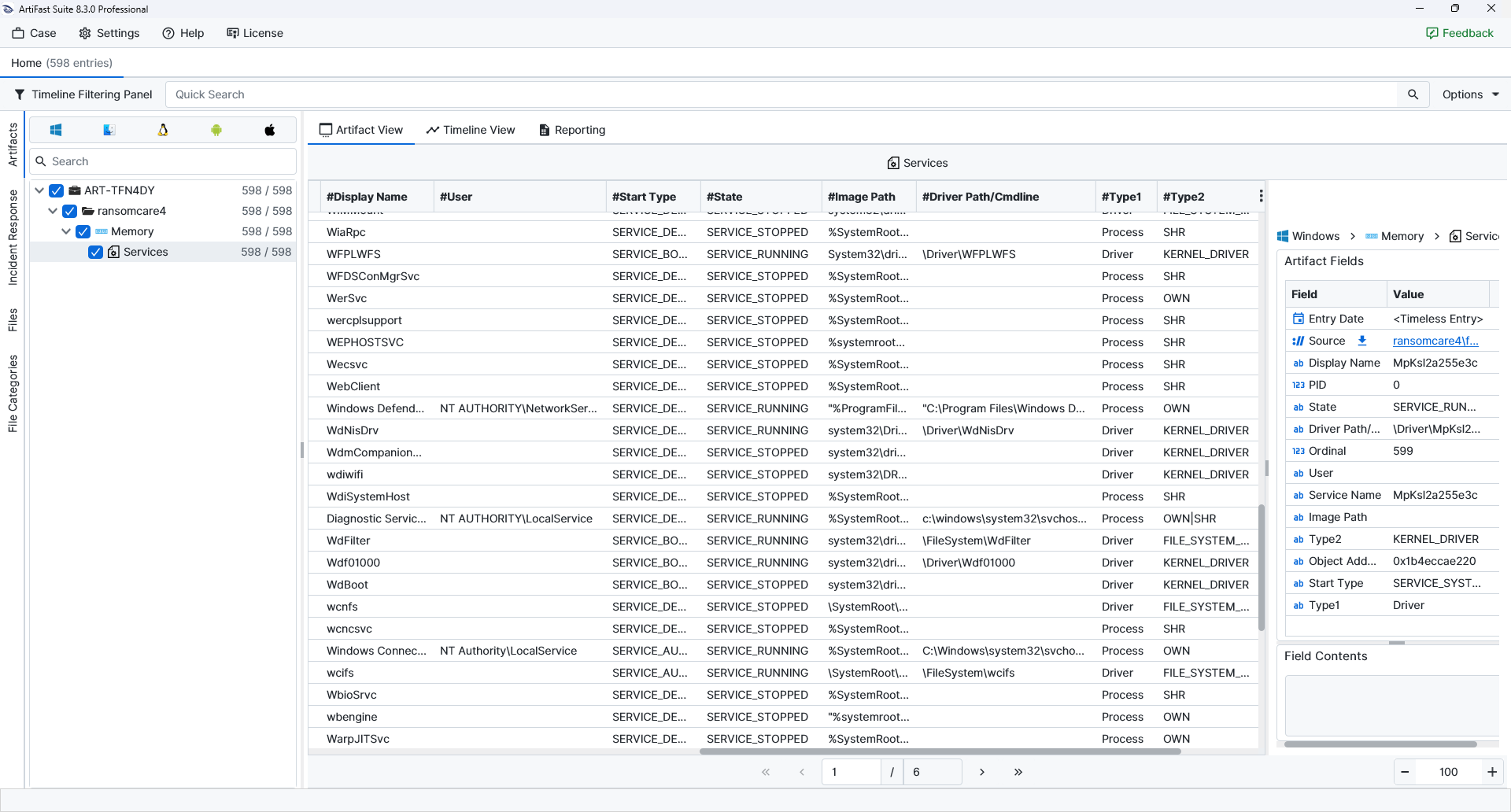
Once ArtiFast parsers plugins complete processing the artifact for analysis, it can be reviewed via “Artifact View” or “Timeline View,” with indexing, filtering, and searching capabilities. Below is a detailed description of the Memory Services artifact in ArtiFast.
Memory Services
- Display Name: The visible name assigned to the service.
- PID: The process identifier associated with the service.
- State: The service state at the time the memory data was captured.
- Driver Path / Cmdline: The driver path or command-line value associated with the service.
- Ordinal: The order or index of the service entry within the parsed memory output.
- User: The account associated with the service.
- Service Name: The internal name used by Windows to identify the service.
- Image Path: The executable path associated with the service.
- Type1: The primary service category.
- Type2: A more specific classification of the service type.
- Object Address: The memory address of the service object.
- Start Type: The startup configuration of the service.
For more information or suggestions please contact: ali.tora@forensafe.com
