Memory Files
08/05/2026 Friday
Windows Memory Files artifacts contain information about file-related objects that are identified from a captured Windows memory image. During normal system activity, different files may be loaded, mapped, referenced, or kept in memory by the operating system, services, drivers, security components, and user applications. These files can include executable images, dynamic link libraries, system components, application files, and other data objects that were present in memory at the time of acquisition.
Digital Forensics Value of Memory Files
Windows Memory Files artifacts can be valuable during memory-based
investigations because file-related objects may be identified from
kernel memory, process handles, and other volatile structures. Through
these records, files that were loaded, mapped, referenced, or
recoverable from memory can be reviewed. These artifact results can be
used to support the examination of executable files, DLLs, application
components, security-related files, and suspicious file references that
were present during the captured session.
Location of Memory Files
The Memory Files artifact is not recovered from a fixed Windows system folder in the same way as registry hives, event logs, or application databases. These records are produced during memory forensic processing and are commonly found in the forensic output generated from the acquired memory image.
Analyzing Memory Files Artifact with ArtiFast
This section will discuss how to use ArtiFast to extract Memory Files
artifact from Windows devices’ volatile data and what kind of digital
forensics insights we can gain from the artifact.
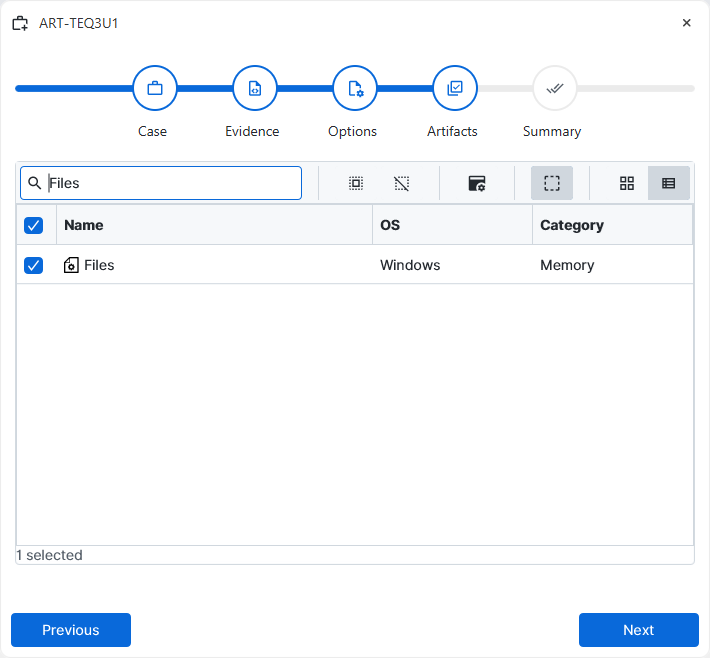
After you have created your case and added evidence for the
investigation, at the Artifact Selection phase, you can select the
Memory Files artifact parser:
×
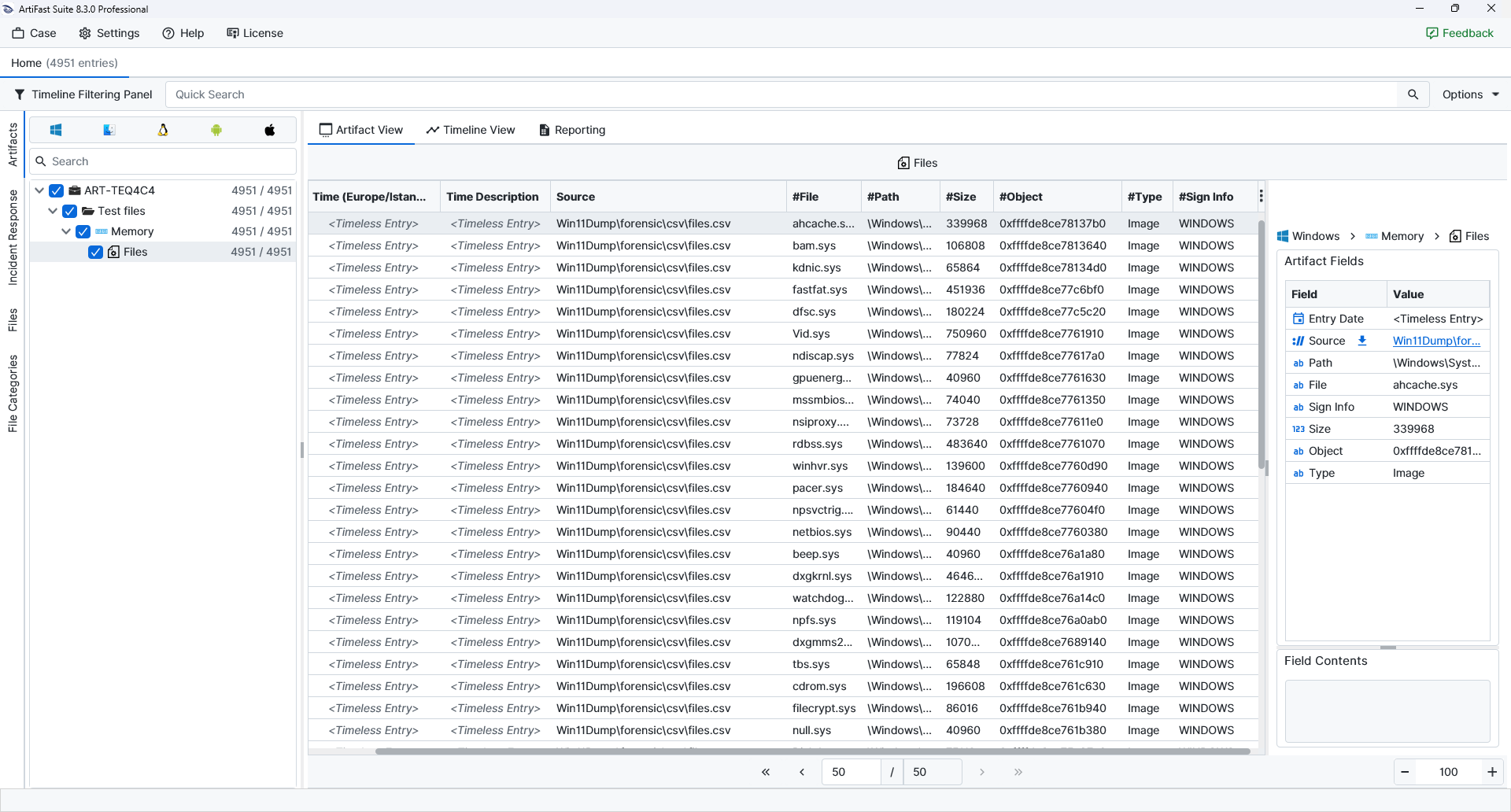
Once ArtiFast parsers plugins complete processing the artifact for analysis, it can be reviewed via “Artifact View” or “Timeline View,” with indexing, filtering, and searching capabilities. Below is a detailed description of the Memory Files artifact in ArtiFast.
Memory Files
- Path: The path associated with the file object.
- File: The file name identified from memory.
- Sign Info: The signature related information of the file.
- Size: The reported size of the file object.
- Object: The memory object reference associated with the file entry.
- Type: The classification of the memory file record.
For more information or suggestions please contact: ali.tora@forensafe.com
