Memory Devices
10/04/2026 Friday
Memory Devices artifact is used to present device objects and driver relationships that were present in system memory at the time of acquisition. Information such as the device name, driver name, driver path, object addresses, attached-device addresses, and device-stack depth is extracted from memory structures and is presented in a structured form. In this way, the relationships between device objects and their associated drivers can be examined, and hardware and kernel level components that were active in memory can be reviewed without manual traversal of raw kernel structures.
Digital Forensics Value of Memory Devices
The forensic value of the Memory Device artifact is provided by the
preservation in memory of device objects and their associated driver
relationships at the time of acquisition. Through these records, the
device objects that were instantiated in the running system, the drivers
to which they were linked, and the structure of the related device
stacks can be identified. Values such as device names, driver names,
driver paths, object addresses, attached-device addresses, and stack
depth can be examined to determine how hardware and software components
were represented in kernel memory and how they were interconnected. When
these records are correlated with driver objects, loaded modules,
service information, and other memory artifacts, the active
device-driver architecture of the system can be reconstructed more
reliably, and anomalous, hidden, or unexpected relationships can be
assessed more effectively.
Location of Memory Devices
For this artifact, information is obtained from device objects and related driver structures that are maintained by the Windows kernel in volatile memory. These structures are parsed from the acquired memory image and are presented as structured records during analysis. As a result, this artifact is not tied to a traditional file path on disk; rather, it is derived directly from kernel memory structures recovered from the memory capture.
Analyzing Memory Devices Artifact with ArtiFast
This section will discuss how to use ArtiFast to extract Memory Devices
artifact from Windows devices’ volatile data and what kind of digital
forensics insights we can gain from the artifact.
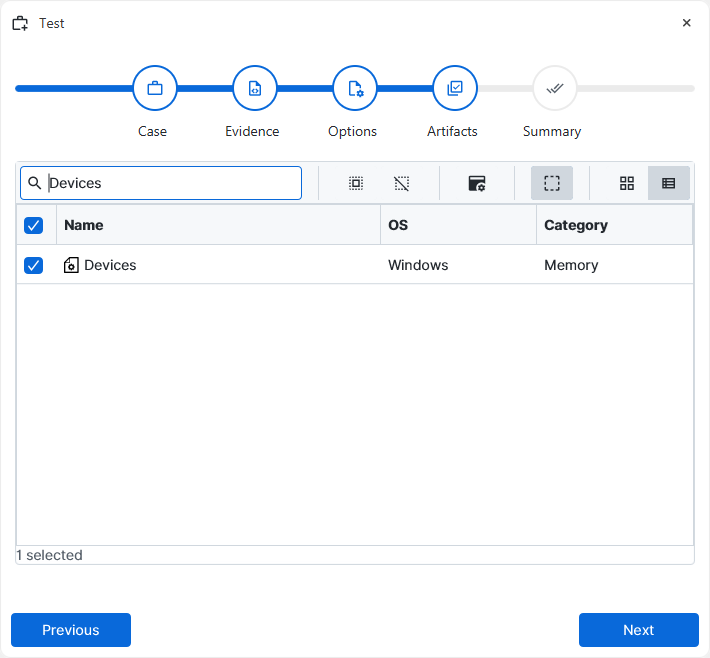
After you have created your case and added evidence for the
investigation, at the Artifact Selection phase, you can select Memory
Devices artifact parser:
×
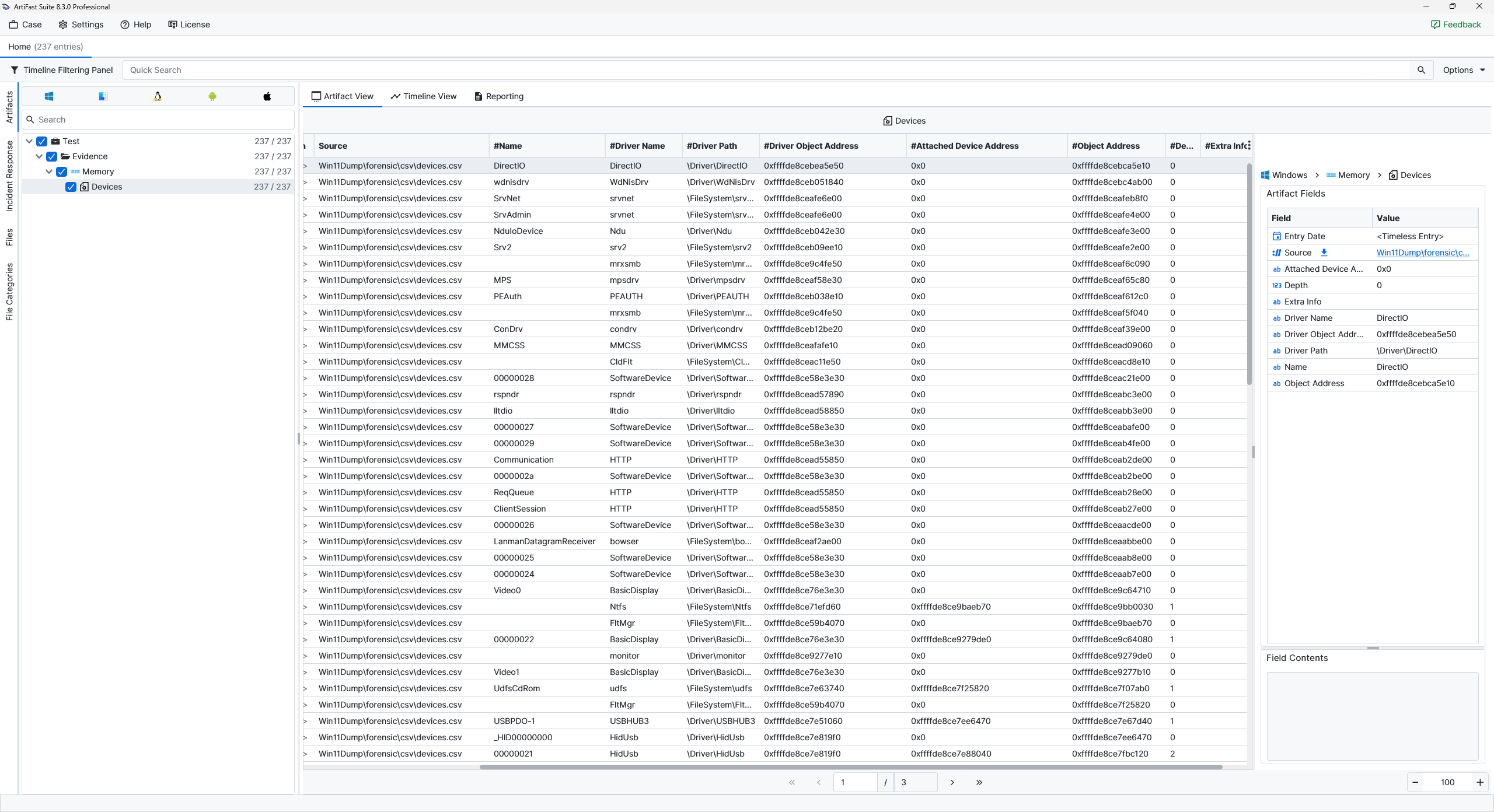
Once ArtiFast parsers plugins complete processing the artifact for analysis, it can be reviewed via “Artifact View” or “Timeline View,” with indexing, filtering, and searching capabilities. Below is a detailed description of Memory Devices artifact in ArtiFast.
Devices
- Attached Device Address : The memory address of a device object attached to the current device stack is shown here.
- Depth : The position of the device object within the device stack is presented here.
- Extra Info : Additional descriptive information associated with the device object is shown here.
- Driver Name : The name of the driver associated with the device object is displayed here.
- Driver Object Address : The memory address of the associated driver object is shown here.
- Driver Path : The kernel path of the associated driver object is displayed here.
- Name : The device name is shown here. In many cases, this value provides the most readable label for identifying the device object and understanding what kind of logical or software-backed device is being represented.
- Object Address : The memory address of the device object itself is shown here.
For more information or suggestions please contact: ali.tora@forensafe.com
