Investigating iOS Tinder
02/10/2026 Friday
Launched in 2012, Tinder is a dating and geosocial networking
application built around profile discovery and mutual matching. A user
reviews profiles, expresses interest or passes, and a match is created
when both people like one another. Once matched, the participants can
exchange messages through Tinder. This workflow means the local iOS
database may connect profile information, matching activity, and
conversations in a single source.
Digital Forensics Value of iOS Tinder
From a forensic perspective, Tinder can reveal not only what was said,
but how two accounts became connected. Match records may preserve the
partner's identifier, activity times, viewing state, draft text, and
Super Like information. Message records can establish the content and
timing of a conversation, while cached user records may add a name,
biography, Tinder user ID, approximate distance, matching or liking
state, and linked Instagram details. When these artifacts are examined
together, a message thread can be associated with a match and then with
the profile behind it, helping an examiner reconstruct the interaction
chronologically.
Location of iOS Tinder
The Tinder database can be found at the following location within the
application's iOS data container:
/private/var/mobile/Containers/Data/Application/<APP_UUID>/Library/Application
Support/Tinder/Tinder2.sqlite
Analyzing iOS Tinder Artifacts with ArtiFast
This section will discuss how to use ArtiFast to extract iOS Tinder
artifacts from iOS device files and what kind of digital forensics
insights can be gained from the artifacts.
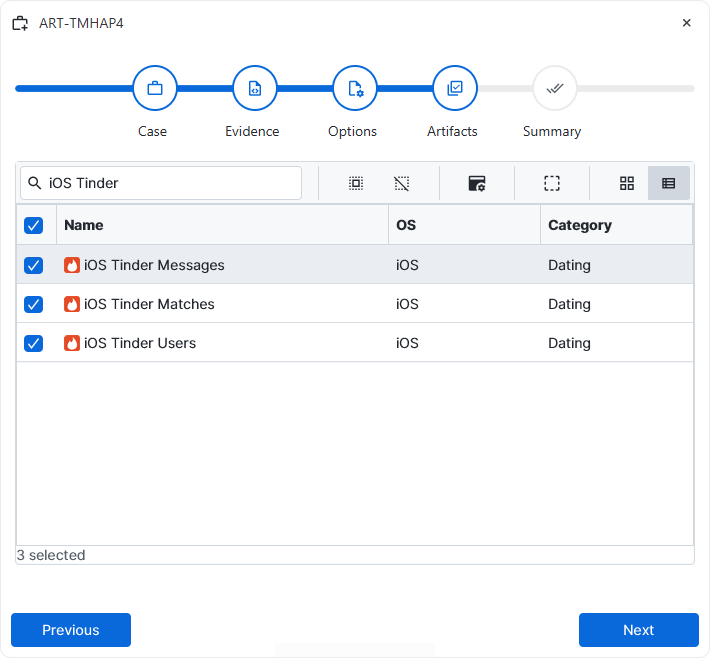
After a case has been created and evidence has been added for the
investigation, at the Artifact Selection phase, the iOS Tinder artifact
parsers can be selected:
×
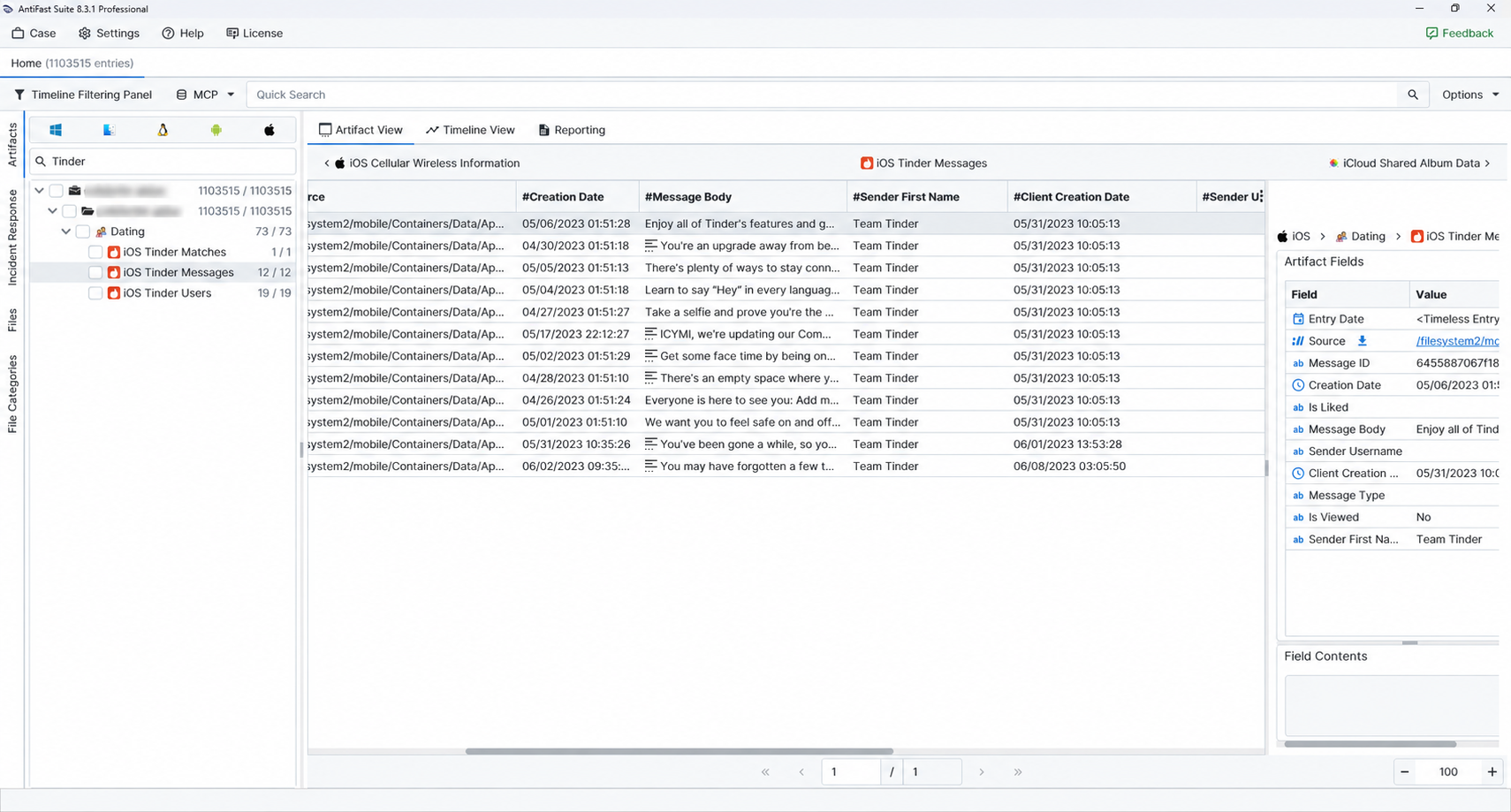
Once the ArtiFast parser plugins complete processing the artifacts for analysis, they can be reviewed via Artifact View or Timeline View, with indexing, filtering, and searching capabilities. Below is a detailed description of iOS Tinder artifacts in ArtiFast.
iOS Tinder Matches
- Match Date: The date and time associated with the match.
- Last Activity Date: The latest activity time retained for the match.
- Partner First Name: The displayed first name of the matched user.
- Partner User ID: Tinder's internal identifier for the matched user.
- Last Message Text: The most recent message text retained with the match.
- Message Draft: Unsent text saved in the conversation draft.
- Last Seen Message ID: The identifier of the latest message marked as seen.
- Is Super Like Match: Indicates whether the match was associated with a Super Like.
- Super Liked By: Identifies the party recorded as having sent the Super Like.
- Touch Date: The touch or update timestamp retained for the match record.
- Is Match Seen: Indicates whether the match had been marked as seen.
- Is Match Viewed: Indicates whether the match had been marked as viewed.
iOS Tinder Messages
- Date: The date used for timeline display when one is available.
- Creation Date: The date and time when the message was created.
- Client Creation Date: The client-side timestamp retained for the message record.
- Message Body: The text of the message.
- Sender First Name: The sender's displayed first name.
- Sender Username: The sender's username, when retained.
- Message Type: The type assigned to the Tinder message.
- Message ID: The unique identifier assigned to the message.
- Is Viewed: Indicates whether the message had been marked as viewed.
- Is Liked: Indicates whether the message or profile had been marked as liked.
iOS Tinder Users
- Download Date: The date and time when the profile data was downloaded or cached.
- First Name: The first or display name retained for the profile.
- Public Username: The profile's public username.
- Gender: The gender value retained with the profile.
- Bio: The profile biography.
- Have Matched: Indicates whether the profile was marked as matched.
- Is Instagram Fetched: Indicates whether linked Instagram information had been fetched by Tinder.
- Instagram Profile Picture URL: The URL retained for the linked Instagram profile picture.
- Instagram Name: The Instagram name retained with the Tinder profile.
- Distance Miles: The approximate distance, in miles, associated with the cached profile.
- Is Current User: Indicates whether the record represents the Tinder account used on the examined device.
- Location Name: The location label retained for the profile.
- Location Proximity: The proximity or location context retained by Tinder, when available.
- Instagram Media Count: The number of Instagram media items associated with the profile.
- Age Hidden: Indicates whether the profile's age was configured as hidden.
- Is Super Like User: Indicates whether the profile was associated with a Super Like state.
- Is Liked: Indicates whether the message or profile had been marked as liked.
- Content Hash: The hash value retained for the profile content or record.
- User ID: Tinder's internal identifier for the profile.
For more information or suggestions please contact: enes.cihan@forensafe.com
