iOS Timezone Information
30/01/2026 Friday
iOS Timezone Information artifacts are used to present configuration
values that describe how time and time zone behaviour are set on the
device. In this artifact, keys from iOS preference plists are recorded,
including the last time zone that was applied at bootstrap, the
corresponding bootstrap date, and related settings that reflect user
choices or system state (such as low-power mode and certain display or
playback options that are stored in the same preference file). These
entries represent the current or recently used configuration rather than
individual events, so they provide a static view of how the device’s
time zone and associated preferences have been configured at the time of
acquisition.
Digital Forensics Value of iOS Timezone Information
The digital forensics value of iOS Timezone Information is derived from
the way time zone-related settings are preserved in preferences. Keys
such as the last bootstrap time zone and bootstrap date can be used to
determine which time zone was applied when the device was last started
or reconfigured, and whether that zone differs from the current setting.
When these values are correlated with event logs and application
timestamps, changes in time zone or bootstrap time can be identified,
potential manual manipulation of date and time settings can be
suggested, and travel or relocation patterns may be supported or
challenged.
Location of iOS Timezone Information Artifact
For this artifact, time zone–related settings are obtained from the App
Store preference file used by iOS. The last bootstrap time zone,
bootstrap date, and related configuration values are stored in the
following plist:
/private/var/mobile/Library/Preferences/com.apple.AppStore.plist
Analyzing iOS Timezone Information Artifact with ArtiFast
This section will discuss how to use ArtiFast to extract the iOS
Timezone Information artifact from iOS devices and what kind of digital
forensics insights we can gain from the artifacts.
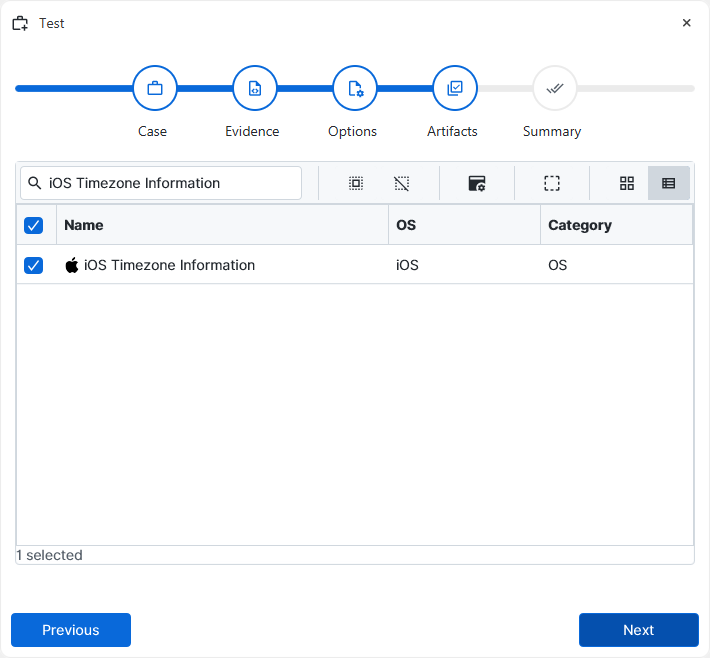
After you have created your case and added evidence for the
investigation, at the Artifact Selection phase, you can select the iOS
Timezone Information artifact parser:
×
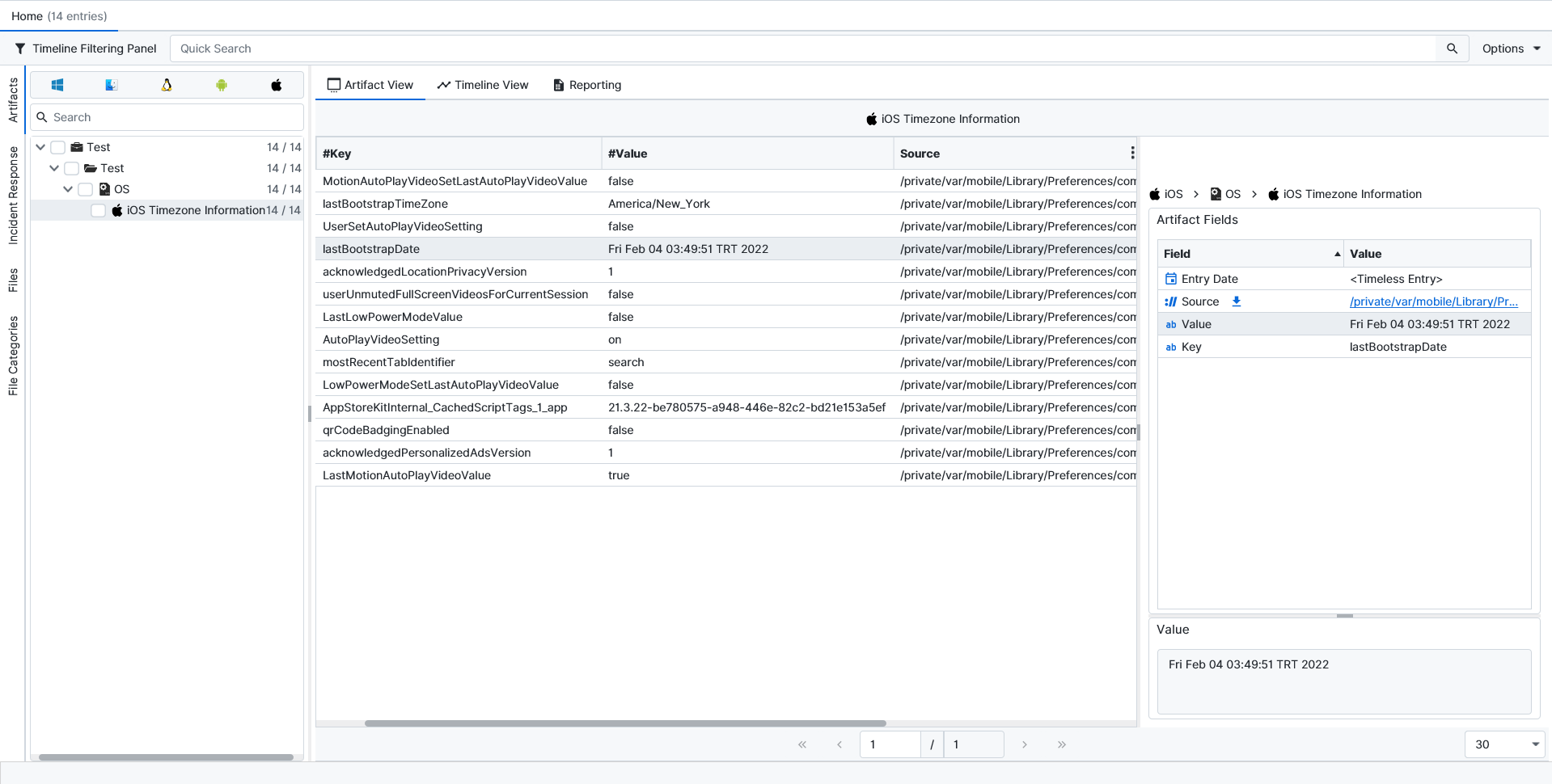
Once ArtiFast parsers plugins complete processing the artifact for analysis, it can be reviewed via “Artifact View” or “Timeline View,” with indexing, filtering, and searching capabilities. Below is a detailed description of the iOS Timezone Information Artifact in ArtiFast.
iOS Timezone Information Details
- Source: The full path of the plist file from which the preference entry was parsed is stored in this field, so the original source can be identified if needed.
- Key: The name of the preference key is recorded here to show which setting is being represented.
- Value: The value associated with the preference key is stored in this field, such as the last bootstrap time zone string, the numeric bootstrap date, or other boolean and string settings found in the plist.
For more information or suggestions please contact: ali.tora@forensafe.com
