iOS Sharing Information
02/01/2026 Friday
iOS Sharing Information artifacts are used to present configuration and state values related to system-level sharing services on the device. Information stored by the sharing subsystem (such as AirDrop, proximity sharing, and certain Continuity features) is recorded in preferences and LaunchDaemon configuration files, including keys for enabled services, transport types, registered Mach services, and Apple ID–related metadata. These entries describe how sharing components are configured and which features are allowed to run, rather than individual user actions, so they provide a static view of the device’s sharing environment that can support interpretation of AirDrop usage, Continuity activity, and other sharing-related artifacts.
Digital Forensics Value of iOS Sharing Information
Keys indicating which sharing services are enabled, which transports and Mach services are registered, and how sharingd is allowed to run can be used to show whether features such as AirDrop or Continuity were available and permitted at a given time. When these settings are correlated with AirDrop logs, proximity records, or other communication artifacts, the configuration can be used to support or challenge interpretations of sharing activity and to explain why certain sharing events may or may not appear elsewhere in the evidence.
Location of iOS Sharing Information Artifact
For this artifact, sharing-related settings are obtained from system
configuration and preference files used by the sharingd service. The
daemon’s launch configuration has been observed in the following
LaunchDaemon plist:
/System/Library/LaunchDaemons/com.apple.sharingd.plist
Analyzing iOS Sharing Information Artifact with ArtiFast
This section will discuss how to use ArtiFast to extract iOS Sharing
Information artifact from iOS devices and what kind of digital forensics
insights we can gain from the artifacts.
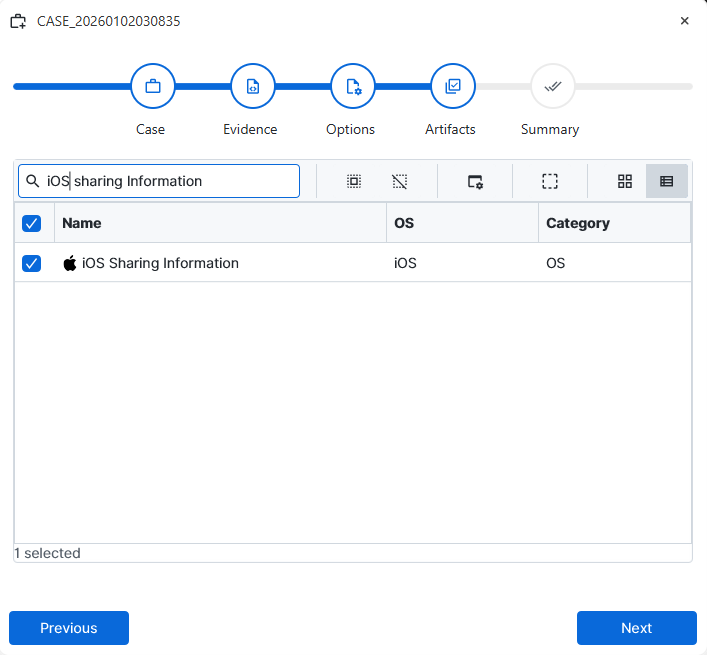
After you have created your case and added evidence for the
investigation, at the Artifact Selection phase, you can select iOS
Sharing Information artifact parser:
×
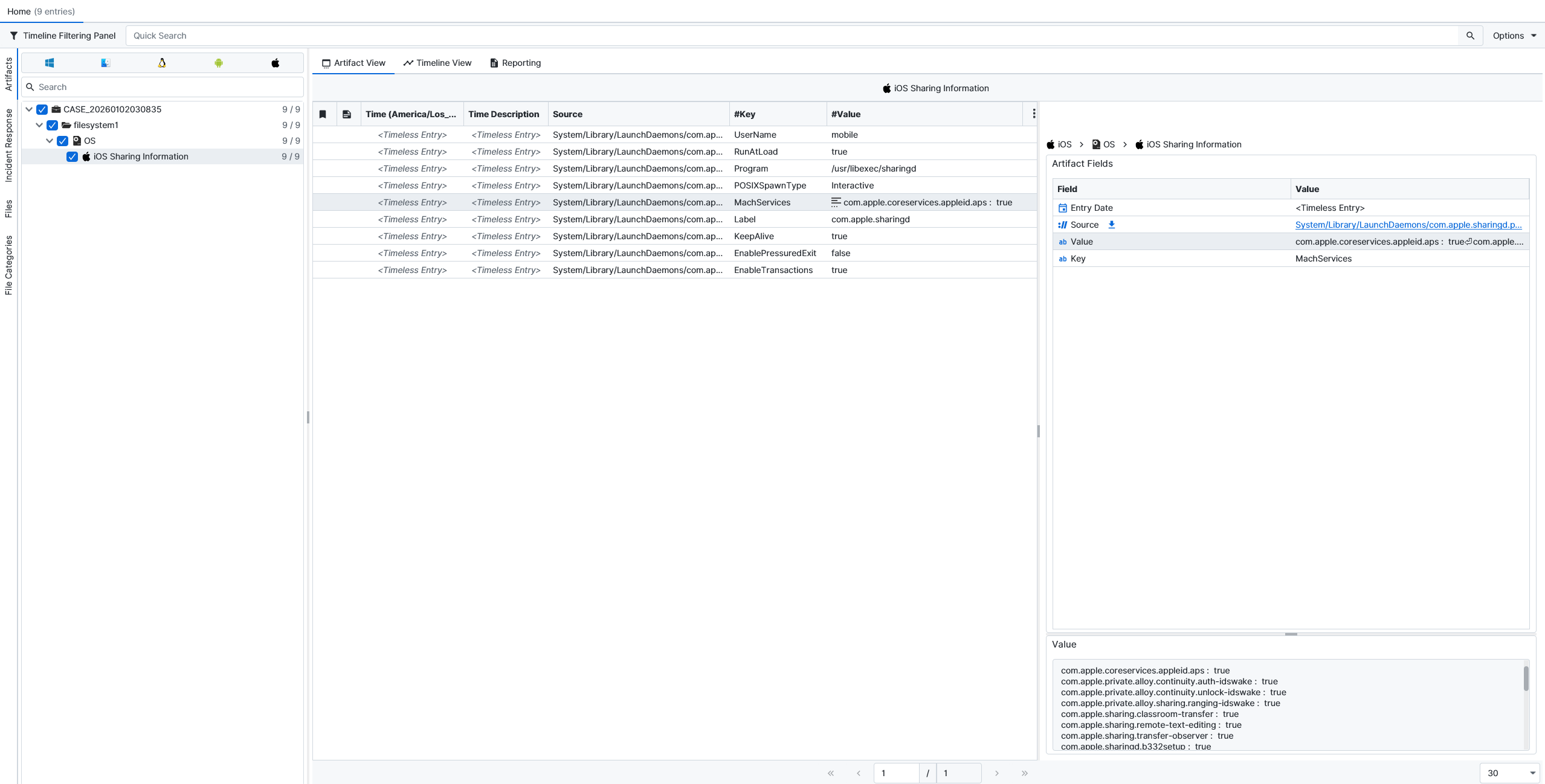
Once ArtiFast parsers plugins complete processing the artifact for
analysis, it can be reviewed via “Artifact View” or “Timeline View,”
with indexing, filtering, and searching capabilities. Below is a
detailed description of iOS Sharing Information Artifact in ArtiFast.
iOS Sharing Information Details
- Source: The full path of the plist file from which the configuration entry was parsed is stored in this field so that the original source can be identified.
- Value: The value associated with the sharing-related key (such as a boolean flag, numeric value, string, or list of services) is recorded in this field.
- Key: The name of the configuration key (for example, MachServices, RunAtLoad, or other sharing-related options) is stored in this field and indicates which aspect of the sharing subsystem the value refers to.
For more information or suggestions please contact: ali.tora@forensafe.com
