iOS Logs
27/02/2026 Friday
iOS Logs artifacts are used to present information recorded by the
operating system about application lifecycle events and device restarts.
Within this set, log entries that describe when apps were last
installed, when they were removed, and when device reboots were detected
are extracted from system installation and logging files and exposed as
time-stamped records with associated bundle identifiers or textual
descriptions. In this way, a concise timeline of install, uninstall, and
reboot activity is provided without requiring direct manual review of
the underlying log files.
Digital Forensics Value of iOS Logs
The digital forensics value of iOS Logs artifacts is derived from the
way installation and system events are persistently recorded by the
operating system. Timestamps for last app installation and
uninstallation events can be used to establish when specific bundle IDs
first appeared on the device or were removed, and to correlate those
changes with other activity in the case timeline. Reboot log entries
provide markers for device restarts, which can be used to segment
analysis periods, explain gaps in other logs, or suggest deliberate
power-cycling around key events. When these log artifacts are correlated
with application data, network records, and user actions, they allow app
usage histories and device state changes to be reconstructed with
greater confidence.
Location of iOS Logs Artifacts
For these artifacts, information about app installation, app removal,
and device reboots is obtained from the MobileInstallation log files
maintained by iOS. These logs are stored in the installd log directory
on the device under the following path:
/private/var/installd/Library/Logs/MobileInstallation/
Within this directory, one or more mobile_installation.log files are
stored and are parsed so that installation, uninstallation, and
reboot-related entries can be exposed as structured artifact records.
Analyzing iOS Logs Artifact with ArtiFast
This section will discuss how to use ArtiFast to extract iOS Logs
artifacts from iOS devices’ files and what kind of digital forensics
insights we can gain from the artifacts.
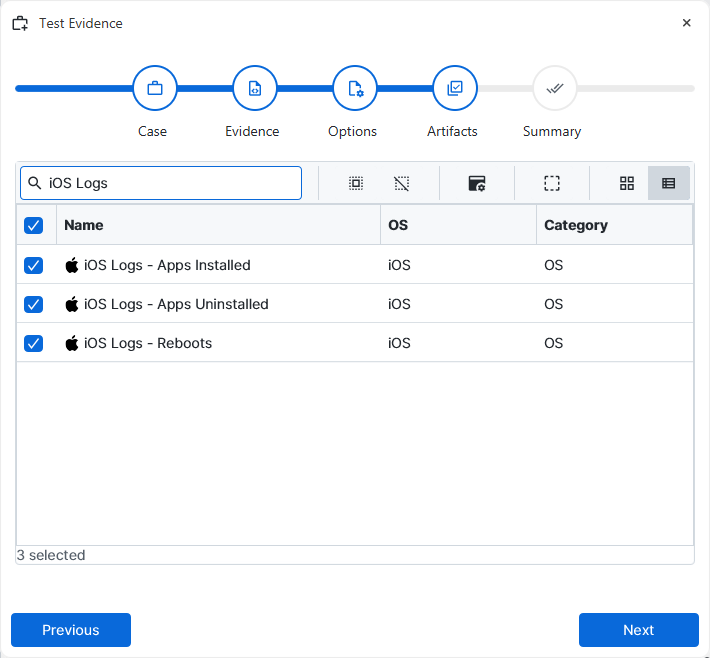
After you have created your case and added evidence for the
investigation, at the Artifact Selection phase, you can select iOS Logs
artifact parsers:
×
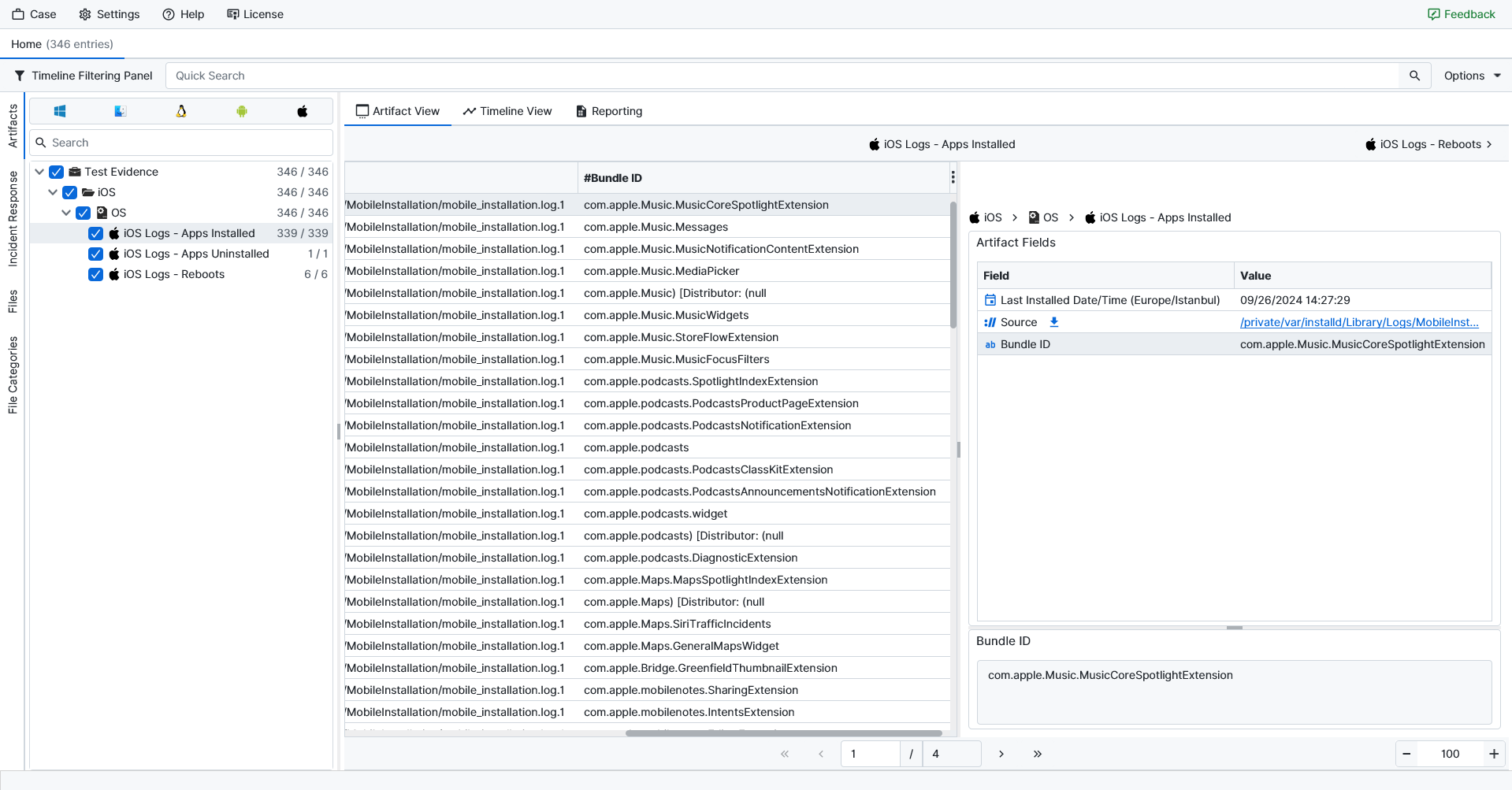
Once ArtiFast parsers plugins complete processing the artifact for analysis, it can be reviewed via “Artifact View” or “Timeline View,” with indexing, filtering, and searching capabilities. Below is a detailed description of iOS Logs artifacts in ArtiFast.
iOS Logs – Apps Installed
- Last Installed Date/Time (Europe/Istanbul): The date and time of the most recent installation event recorded for the application. The timestamp is displayed in the Europe/Istanbul time zone.
- Source: The full path of the MobileInstallation log file from which the installation record was parsed.
- Bundle ID: The bundle identifier of the application whose installation event was recorded.
iOS Logs – Apps Uninstalled
- Last Uninstalled Date/Time (Europe/Istanbul): The date and time of the most recent uninstallation event recorded for the application. The timestamp is displayed in the Europe/Istanbul time zone.
- Source: The full path of the MobileInstallation log file from which the uninstallation record was parsed.
- Bundle ID: The bundle identifier of the application whose removal event was recorded.
iOS Logs – Reboots
- Last Entry Date/Time (Europe/Istanbul): The date and time of the reboot-related log entry. The timestamp is displayed in the Europe/Istanbul time zone.
- Source: The full path of the Mobile Installation log file from which the reboot entry was parsed.
- Description: A short description of the logged system event (for example, "Reboot detected") indicating the nature of the reboot-related activity.
For more information or suggestions please contact: ali.tora@forensafe.com
