Apple Data Usage
19/12/2025 Friday
Apple Data Usage artifacts are used to record how network data is consumed by processes and applications on macOS and iOS devices. For each tracked process, information such as the bundle identifier, process name, first and last usage timestamps, and counters for incoming and outgoing data over Wi-Fi and cellular (WWAN) are stored in a system database. In this artifact, these records are summarized to show the first and last times a process was observed using network connectivity, the total amount of data sent and received, and the most recent connection date and time in the selected time zone. This allows patterns of network activity for both system processes and user-installed applications to be viewed in a consolidated form.
Digital Forensics Values of Apple Data Usage
The digital forensics value of Apple Data Usage is derived from the way network activity is logged per process and application. The first and last usage timestamps, together with the last connection date and time, can be used to establish when a given process was active on the network and to define windows of potential data transfer. Bundle identifiers and process names allow this network activity to be associated with specific system components or user-installed applications.
Wi-Fi and WWAN in/out counters provide an indication of how much data was sent or received over each interface, which can support assessments of possible data exfiltration, unusually high usage, or the use of cellular data when Wi-Fi was expected. When these records are correlated with application logs, message databases, or other timeline artifacts, network usage patterns can be used to support or challenge event reconstructions and to identify background or lesser-known processes that were active during key periods.
Location of Apple Data Usage Artifacts
For this artifact, data-usage information is obtained from several system databases used by Apple devices. On iOS, cumulative usage per app and process is recorded in the DataUsage databases managed under the wireless subsystem:
/private/var/wireless/Library/Databases/DataUsage.sqlite
/private/var/wireless/Library/Databases/DataUsage-watch.sqlite
Additional network-usage records for iOS are maintained by the networkd service in the following database:
/private/var/networkd/netusage.sqliteContext and usage information related to activity tracking on iOS are also stored in the CoreDuet database:
/private/var/mobile/Library/CoreDuet/coreduetdClassD.dbOn macOS, process-level network usage has been observed in a separate netusage.sqlite database kept by networkd under:
/private/var/networkd/db/netusage.sqliteAnalyzing Apple Data Usage Artifact with ArtiFast
This section will discuss how to use ArtiFast to extract Apple Data Usage artifacts from iOS and MacOS devices’ files and what kind of digital forensics insights we can gain from the artifacts.
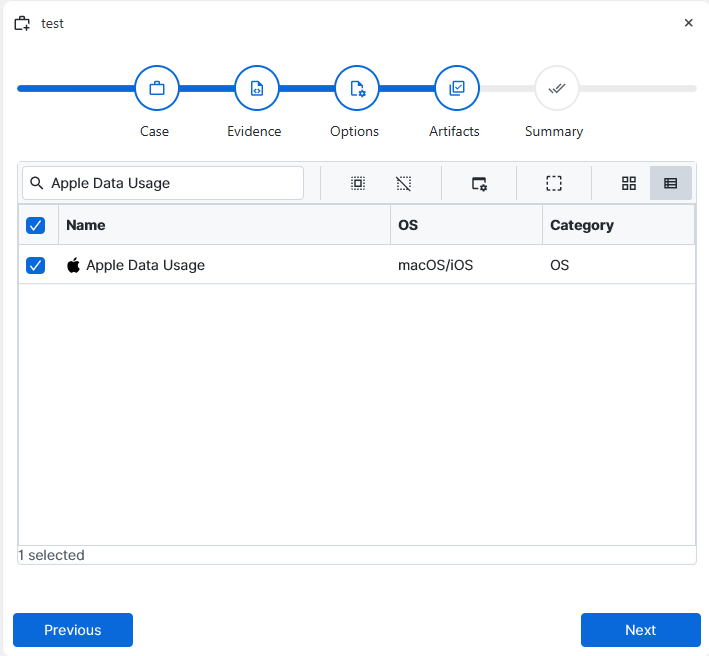
After you have created your case and added evidence for the investigation, at the Artifact Selection phase, you can select Apple Data Usage artifact parsers:
×
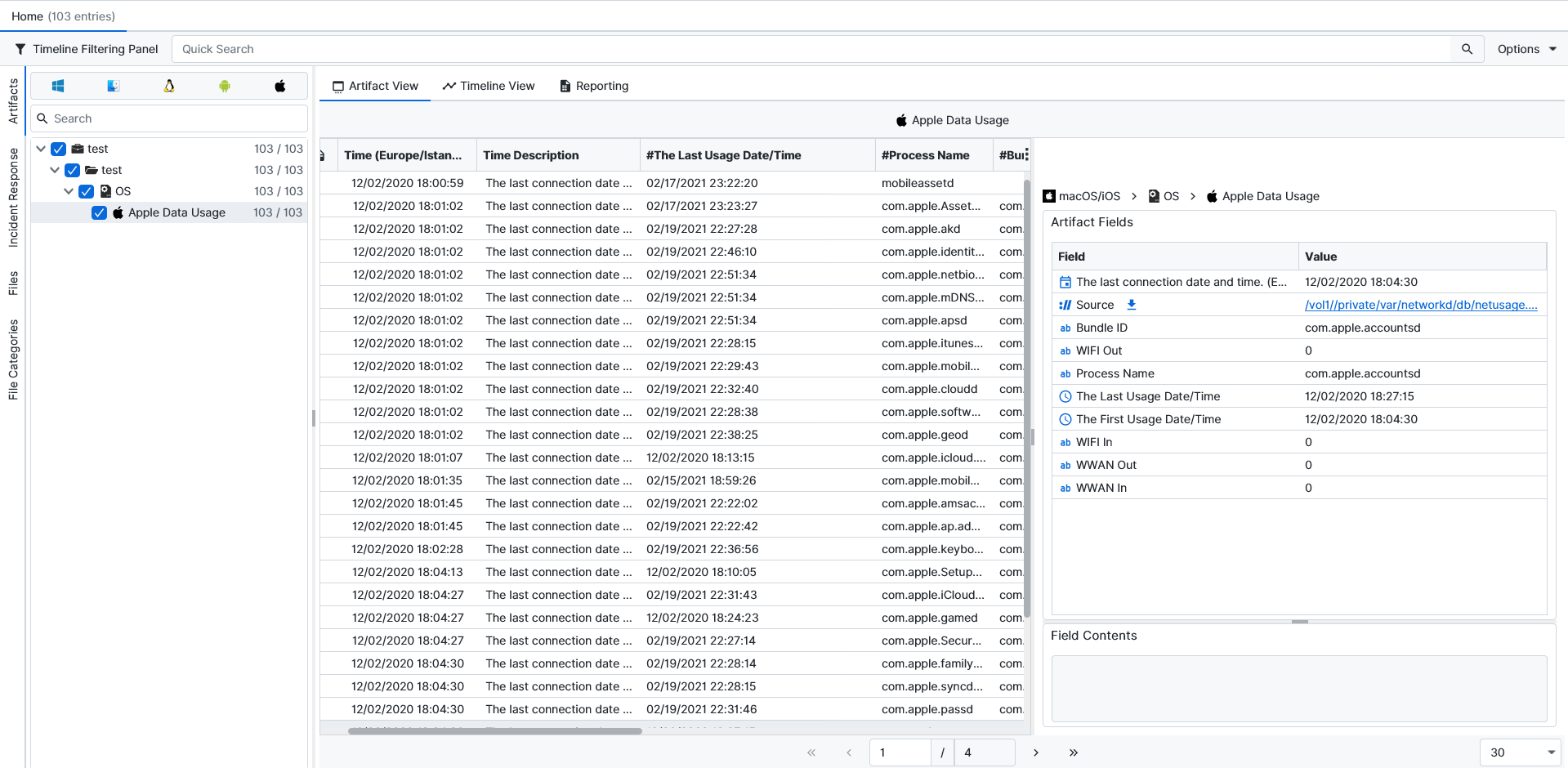
Once ArtiFast parsers plugins complete processing the artifact for analysis, it can be reviewed via “Artifact View” or “Timeline View,” with indexing, filtering, and searching capabilities. Below is a detailed description of Apple Data Usage artifacts in ArtiFast.
Apple Data Usage
- Bundle ID: The bundle identifier associated with the process or application is recorded in this field.
- WIFI Out: The cumulative amount of data that has been sent by the process over Wi-Fi, as reported by system counters, is stored in this field.
- Process Name: The internal name of the process, as recorded in the database, is shown in this field.
- The Last Usage Date/Time: The latest timestamp at which the process was registered as using network data is recorded in this field.
- The First Usage Date/Time: The earliest timestamp at which the process was registered as using network data is recorded in this field.
- WIFI In: The cumulative amount of data that has been received by the process over Wi-Fi is stored in this field.
- WWAN In: The cumulative amount of data that has been received by the process over cellular/WWAN is recorded in this field, when such usage is present.
- WWAN Out: The cumulative amount of data that has been received by the process over Wi-Fi is stored in this field.
For more information or suggestions please contact: ali.tora@forensafe.com
