Investigating Android Privacy Dashboard
28/08/2026 Friday
Android Privacy Dashboard artifacts are generated from Android
permission access records that track when applications use
privacy-sensitive device resources. On supported Android versions, the
Privacy Dashboard can be used to review recent access to permissions
such as location, camera, and microphone, while the related AppOps
records may preserve the application package, module, or attribution
tag, operation type, and usage duration.
Digital Forensics Value of Android Privacy Dashboard
Android Privacy Dashboard artifacts can provide useful context when
access to sensitive device resources needs to be reviewed. These records
can help identify which application package accessed a protected
resource, which module or attribution tag was associated with the
access, what type of operation was recorded, and when the activity
occurred. This can support timeline reconstruction, permission-abuse
review, and correlation with foreground app usage, location history,
notifications, account data, and installed application records. When
repeated entries are present, access patterns may also help separate
expected background activity from behavior that requires closer review.
Location of Android Privacy Dashboard
Android Privacy Dashboard artifacts are commonly associated with Android
AppOps discrete access records. These records can be found under the
following generic path: :
/data/system/appops/discrete/
Files in this directory are commonly named with timestamp-like values
and may use the tl suffix. Availability can differ by Android version,
device vendor, acquisition method, cleanup behavior, and whether the
relevant permission access records were still retained at the time of
extraction.
Analyzing Android Privacy Dashboard Artifacts with ArtiFast
This section will discuss how to use ArtiFast to extract Android Privacy
Dashboard artifacts from Android device files and what kind of digital
forensics insights can be gained from the artifacts.
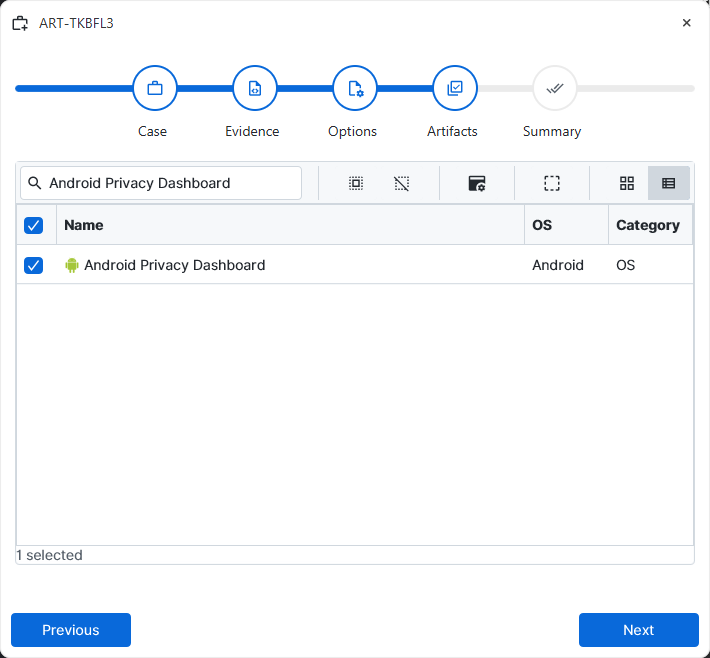
After a case has been created and evidence has been added for the
investigation, at the Artifact Selection phase, the Android Privacy
Dashboard artifact parser can be selected.
×
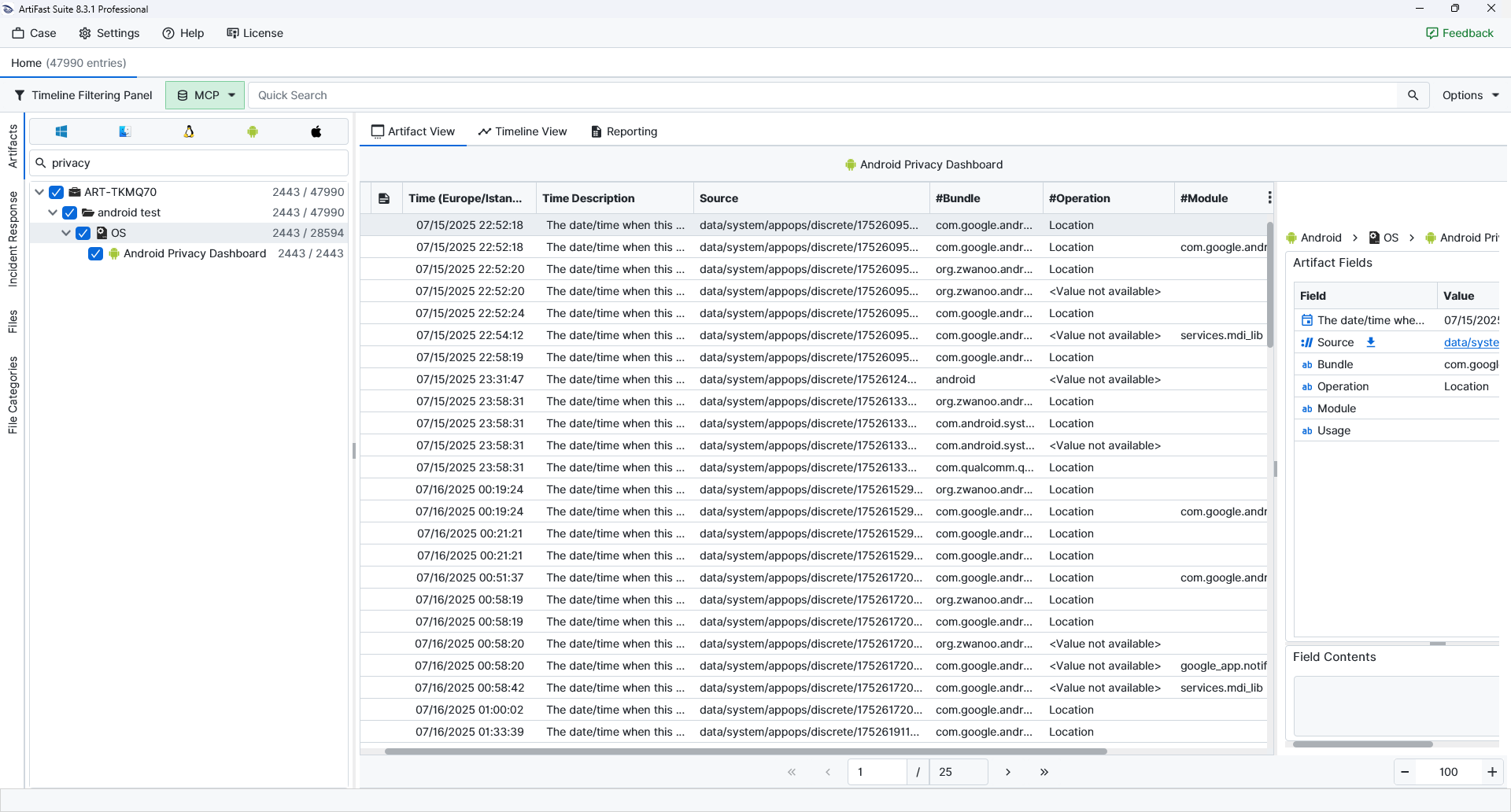
Once the ArtiFast parser plugins complete processing the artifact for analysis, it can be reviewed via Artifact View or Timeline View, with indexing, filtering, and searching capabilities. Below is a detailed description of Android Privacy Dashboard artifact in ArtiFast.
Android Privacy Dashboard
- Entry Date: Records when the privacy-related event was recorded by the device.
- Source: Points to the AppOps discrete access file from which the record was parsed.
- Bundle: Identifies the application package associated with the recorded event.
- Module: Lists the module, attribution tag, or component name tied to the access.
- Operation: Describes the privacy-related operation recorded for the event.
- Usage: Stores the recorded usage period in milliseconds.
For more information or suggestions please contact: Aslı.Beyhan@forensafe.com
