Android Application Roles
12/12/2025 Friday
Android Application Roles provide insight into how the operating system
assigns privileged functions to different applications. These roles
indicate which apps are designated to perform system-level duties, such
as handling calls, messages, or specific types of content.
Digital Forensics Values of Android Application Roles
From a digital forensics perspective, these records can help clarify how
a device was configured at a given time, what applications were
permitted to perform sensitive operations, and how user actions may have
been influenced by system-assigned privileges. This information becomes
valuable when reconstructing user behavior, validating configuration
changes, or determining whether unauthorized role assignments
occurred.
When this data is combined with other artifacts, it helps investigators
build a clear timeline of permission use and spot unusual or suspicious
changes in an app’s behavior.
Location of Android Application Roles Artifacts
Android Application Roles artifacts can be found at the following
locations:
/data/misc_de/0/apexdata/com.android.permission/roles.xml
Analyzing Android Application Roles Artifact with ArtiFast
This section will discuss how to use ArtiFast to extract Android
Application Roles artifacts from Android machines’ files and what kind
of digital forensics insights we can gain from the artifact.
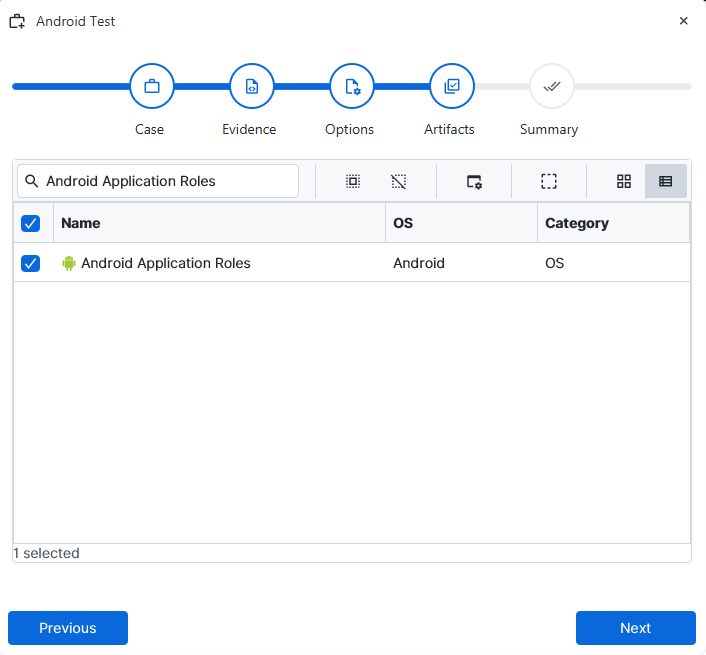
After you have created your case and added evidence for the
investigation, at the Artifact Selection phase, you can select Android
Application Roles artifact parsers:
×
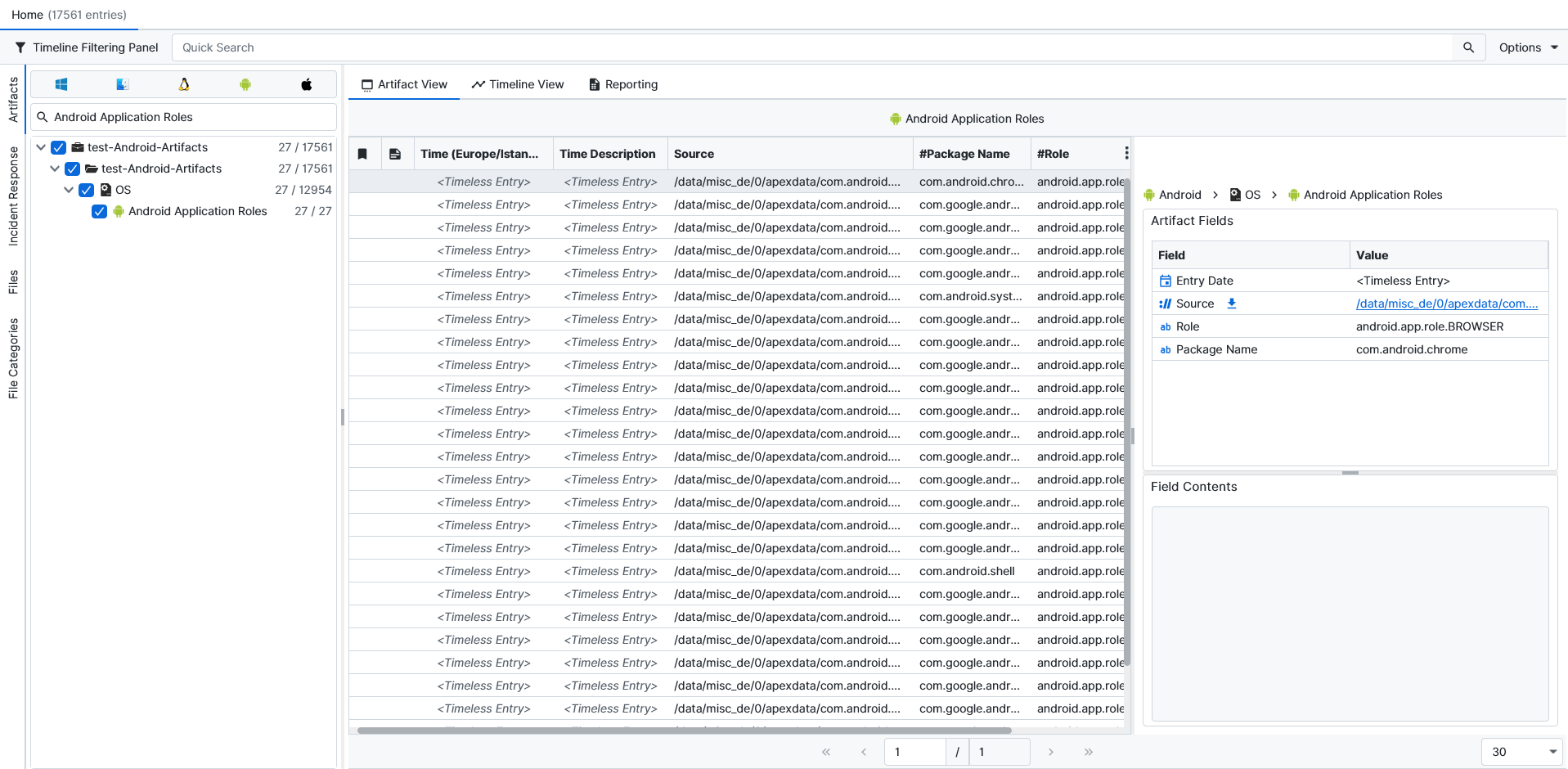
Once ArtiFast parsers plugins complete processing the artifact for analysis, it can be reviewed via “Artifact View” or “Timeline View,” with indexing, filtering, and searching capabilities. Below is a detailed description of Android Application Roles artifacts in ArtiFast.
Android Application Roles:
- Role: The role assigned to this package.
- Package Name: The bundle name of the application that requested this permission.
For more information or suggestions please contact: hamzamm.aljaeba@forensafe.com
